







Microsoft Unleashes Major Overhaul of Windows 11 Context Menus: Faster, Cleaner, and User-Centric
REDMOND, WA – Microsoft has officially unveiled a significant redesign for the context menus within Windows 11’s File Explorer and desktop environment. These long-awaited enhancements promise to deliver a right-click experience that is demonstrably faster, less cluttered, and far more customizable for users.
The news, initially hinted at last month, was confirmed today by Microsoft, with preview builds already rolling out to Windows Insiders. This move signals a direct response to widespread user feedback regarding the current state of Windows 11’s context menus, which have often been criticized for their sluggish performance and overwhelming array of options.
Michael Novak, a Microsoft engineer, candidly acknowledged the existing issues in a blog post, stating, "The menu became cluttered and sluggish, and we recognized the need to dramatically reduce the time between right-clicking and having a menu that’s fully ready to use." He added, "Today, we’re excited to announce an updated context menu that delivers a faster, simpler, and more customizable experience. The new design reduces top-level clutter, keeps commonly used actions easy to access, and introduces a new Settings experience that gives you more control over what appears in the menu."
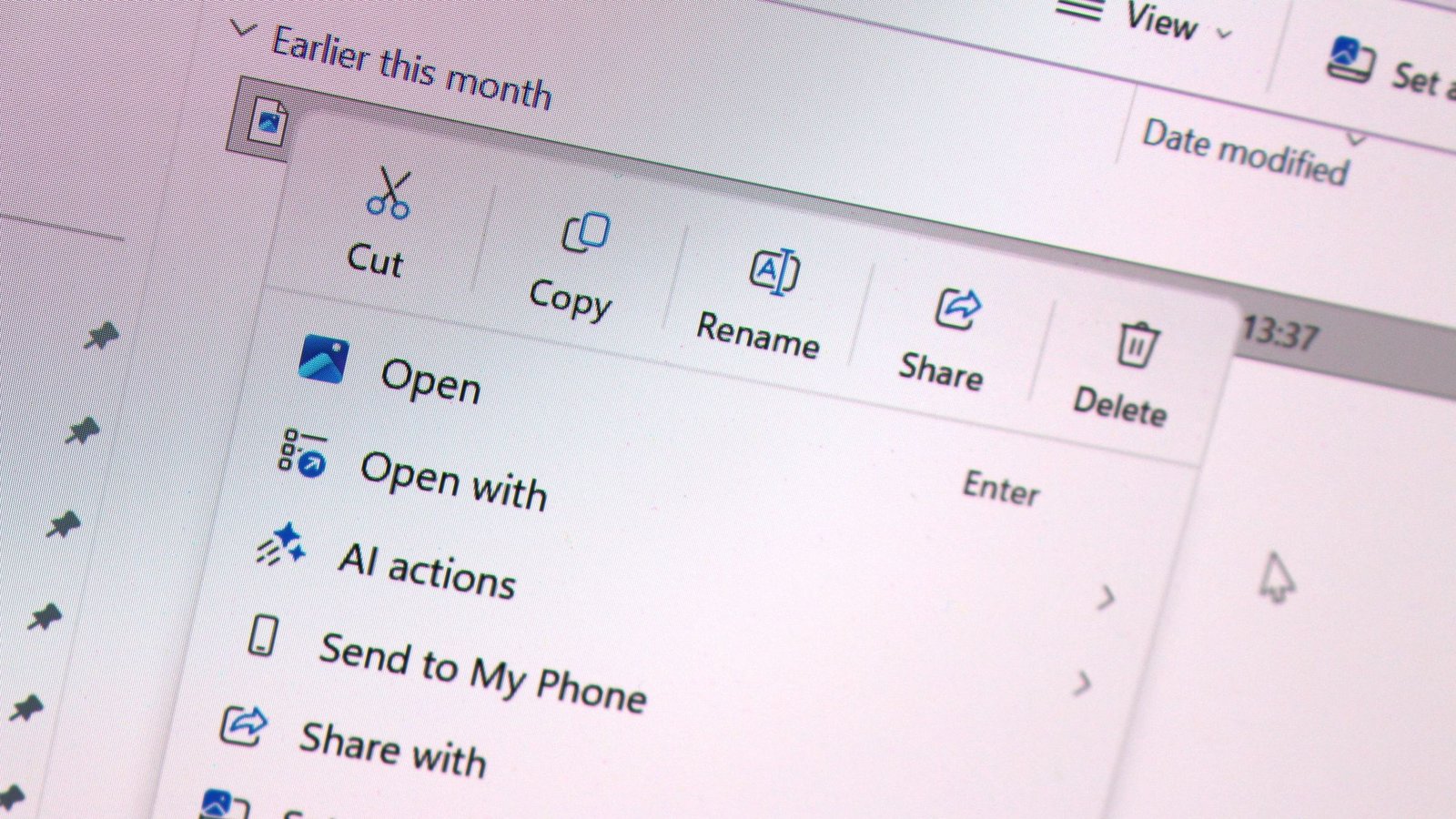
Early hands-on impressions of the new system confirm a substantial improvement. The default layout is notably streamlined, prioritizing speed by presenting fewer immediate actions. This deliberate reduction in initial options significantly accelerates response times, addressing one of the core complaints from users.
Perhaps the most impactful change lies in the introduction of extensive user customization options. Users will now have the unprecedented ability to enable or disable specific actions within the context menu. Furthermore, the new system allows for the selective display or hiding of app extensions from third-party applications. This means an end to intrusive app integrations, empowering users to curate their right-click menus and eliminate unwanted entries.
In a nod to users’ established habits, Microsoft is also offering a feature to restore the familiar Windows 10 context menu layout within the modernized Windows 11 framework. Previously, Windows 11 presented primary actions like cut, copy, and paste in a horizontal icon strip at the top of the menu. The Windows 10 layout, in contrast, displayed these actions vertically alongside other options. Users who prefer this traditional arrangement can now revert to it, alongside the ability to move the "Properties" option to the bottom of the menu.
"We know many people have years of muscle memory from the Windows 10 menu, so we’ve added options to bring that feel back," Novak explained. "You can list the main commands (Cut, Copy, Paste, Rename, Delete, and Share) inline directly in the menu instead of as a row of icons, and you can move Properties down to the very bottom."
These improvements represent a significant leap forward in user experience for Windows 11, focusing on efficiency, clarity, and personal preference. Windows Insiders can access and test these new features by downloading the latest preview builds today. While currently in the preview phase, a broader rollout to all Windows 11 users is anticipated later in the fall.
Join us on Reddit at r/WindowsCentral to share your insights and discuss our latest news, reviews, and more.