







Evolution of Multitasking in watchOS
The Apple Watch has long been defined by its constrained yet highly functional interface. Central to this experience is the ability to navigate between active tasks efficiently. In the initial versions of watchOS, the App Switcher served as a critical tool for power users, allowing them to manage background processes and quickly toggle between frequently used applications. This feature was primarily accessed via a double-click of the Digital Crown, a physical gesture that provided tactile confirmation of the action.
With the release of watchOS 27, however, this capability was notably absent. The removal of the shortcut sparked discourse among long-term users who relied on the mechanism for productivity and rapid navigation. The reliance on the Digital Crown as a primary hardware input made its sudden decoupling from the App Switcher a significant shift in the platform’s ergonomics. The lack of a clear replacement left a gap in the operating system’s workflow, prompting widespread requests for a restoration of the functionality in subsequent software iterations.
The Introduction of the Long-Press Gesture
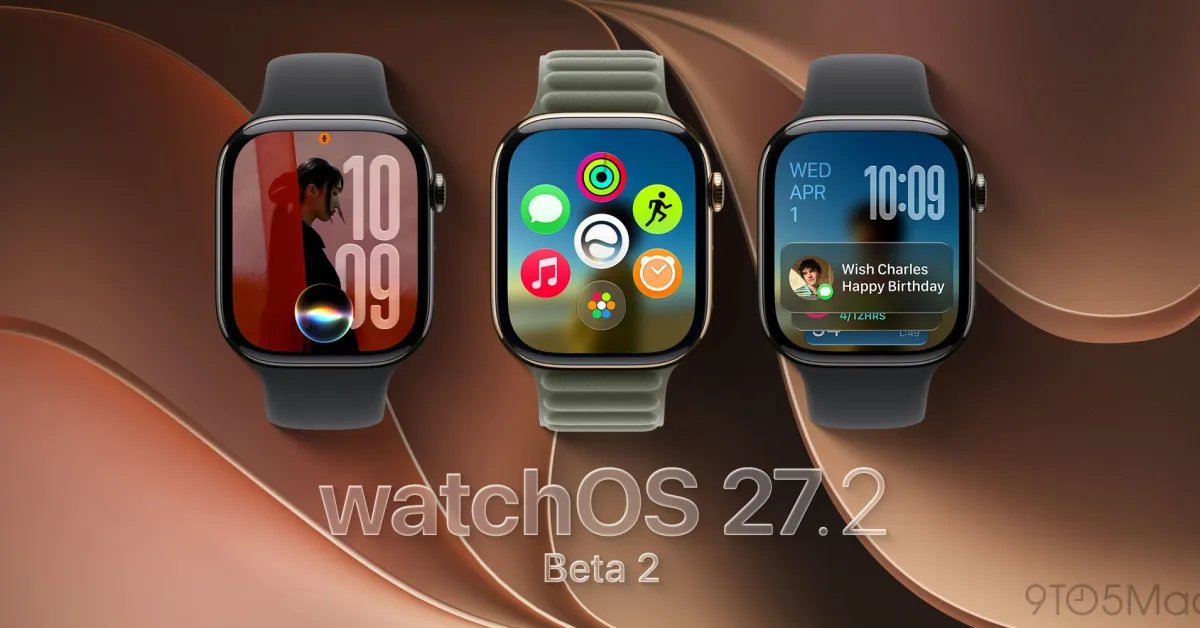
As development on watchOS 27.2 progresses, Apple has begun to address these concerns by reintroducing the App Switcher, albeit through a modified interaction method. In the second beta version of watchOS 27.2, users are no longer dependent on the Digital Crown to initiate multitasking. Instead, the update introduces a software-based trigger: a long-press at the bottom edge of the display.
This change represents a shift from a hardware-centric command to a contextual gesture-based interface. When a user is inside an active application, performing a sustained touch at the bottom of the screen brings up the familiar interface that organizes recently used applications. Once active, the underlying mechanics remain consistent with previous versions of the software. Users can rotate the Digital Crown to scroll through the list of suspended or active apps and swipe horizontally across specific entries to reveal a deletion option, marked by an “X” button, effectively closing the process.
Technical Implications and Workflow Changes
The move to a long-press gesture has several technical implications for device operation. By utilizing the display surface rather than a physical button, Apple frees up the Digital Crown for other system-level tasks or third-party app requirements. This decision aligns with the company’s broader design philosophy of minimizing reliance on mechanical components while maximizing the utility of the touch-sensitive display.
For the end user, this change requires a period of adaptation. While the previous double-click mechanism was instantaneous and muscle-memory dependent, the long-press gesture introduces a slight delay inherent to the recognition of the touch duration. However, the benefits of having a centralized hub for application management far outweigh the minor change in execution. The restoration of the App Switcher ensures that users can effectively clear memory-intensive tasks, check background activity, or jump back to an interrupted task without needing to navigate back to the app grid or the clock face.
User Feedback and Developmental Iteration
The inclusion of this feature in the 27.2 beta cycle serves as a case study in how operating system updates are influenced by user feedback. The swift response from the development team suggests that the previous omission of the App Switcher was likely an unintended friction point rather than a permanent design mandate. By incorporating the feature back into the beta, Apple is validating the community’s demand for efficient multitasking.
It is important to note that while this feature is currently available in the beta environment, it is not yet finalized. Throughout the testing cycle, parameters such as the sensitivity of the long-press or the specific placement of the trigger area may undergo refinement to prevent accidental activation. Developers and early adopters are currently tasked with providing telemetry and feedback to ensure the feature reaches its optimal state before the public release, which is expected to roll out in the coming month.
Balancing Complexity and Accessibility
The Apple Watch is tasked with performing increasingly complex operations on a limited physical footprint. Balancing this complexity with the need for accessibility is a constant challenge for software engineers. The return of the App Switcher via a gesture-based input is a testament to the fact that power users demand a high level of control, even on a wearable device.
As the watchOS platform continues to mature, the focus remains on streamlining the transition between various states of operation. Whether through physical inputs like the Digital Crown or software gestures like the new long-press, the goal is to provide a seamless transition between disparate tasks. With watchOS 27.2, Apple appears to have struck a compromise that restores critical functionality without compromising the design constraints of the watch hardware. As the release date for the final version approaches, the focus will shift to how this new interface performs under diverse use cases, ranging from casual daily usage to intensive fitness tracking and productivity management.
Disclaimer: This content is auto-generated for informational purposes only.
Source: Read Original News