








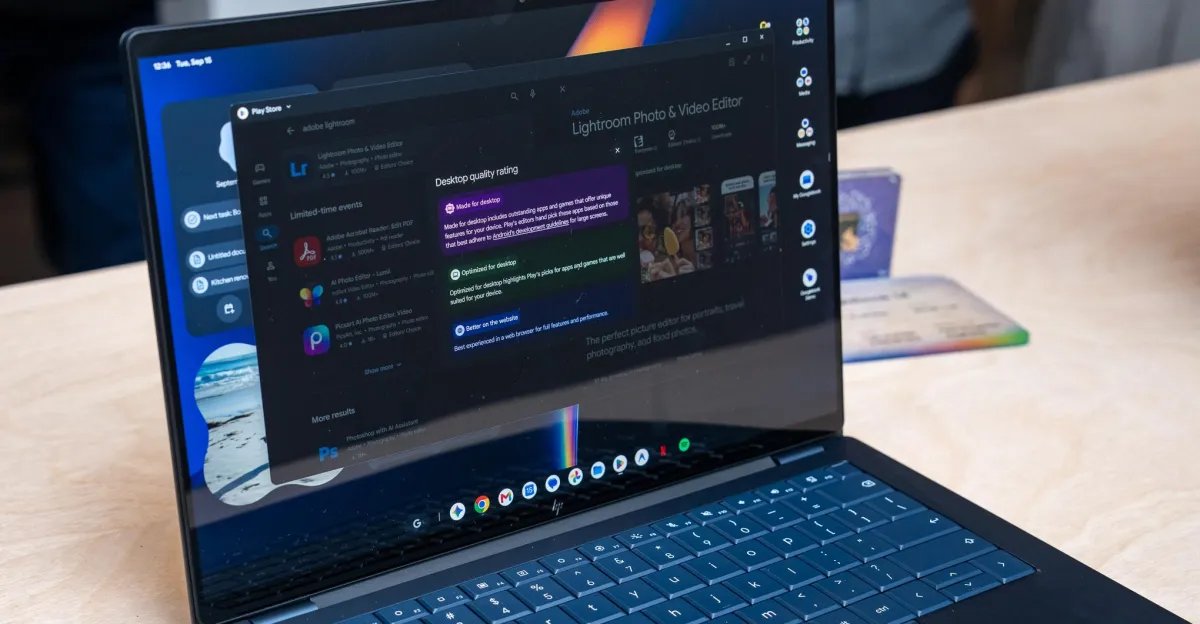
Google has officially entered the laptop market with a new category of devices dubbed “Googlebooks.” Developed in partnership with major manufacturers including Dell, Acer, Asus, Lenovo, and HP, these laptops represent a strategic pivot for the company. By moving away from the familiar, web-centric ChromeOS and replacing it with a full version of Android, Google aims to provide a unified ecosystem for Android phone users. However, early reports from testers suggest that while the hardware quality is high, the software experience remains deeply unpolished, struggling to bridge the gap between a mobile operating system and a traditional desktop productivity environment.
The Transition from ChromeOS to Android
The primary objective behind the Googlebook is to simplify the transition for users already entrenched in the Android ecosystem. By utilizing Android as the core operating system, Google promises a more cohesive experience where phones, tablets, and laptops share the same interface and app architecture. In theory, this should accelerate feature development and software parity. In practice, however, early users are noting that the system often feels like a regressive step compared to the established ChromeOS.
Many of the long-standing criticisms of Android on large screens remain unresolved. Users are encountering limitations regarding multi-account support—a feature that has been standard on ChromeOS for years—which is currently missing from the Googlebook experience. Additionally, the navigation paradigm has shifted in ways that feel disjointed; some models even include physical navigation buttons on the keyboard as a fallback for apps that fail to scale properly, a design choice that highlights the underlying friction between mobile-first software and laptop hardware.
Software Limitations and App Compatibility
The most significant hurdle for the Googlebook platform is the application ecosystem. While Android apps are designed for touch-first input, they frequently lack the necessary optimizations for mouse and keyboard usage. Testers have reported that common tasks, such as highlighting text or using keyboard shortcuts for basic commands, often trigger incorrect responses, like accidental page scrolling.
Streaming applications present another major pain point. Because most are optimized for tablets, they often default to fixed, full-screen layouts that resist intuitive windowing. When users do attempt to manage these windows, they are met with inconsistent scaling and interface behaviors. Furthermore, essential productivity workflows—such as dragging and dropping windows between virtual desktops—are either missing or unintuitive. The “Clear All” button, imported directly from the phone-based app switcher, serves as a poignant example of mobile logic failing on a desktop device; on a laptop, closing every active program is rarely a desired action, yet the system presents it as a primary control.
The Challenges of Linux Integration
In an attempt to address the lack of desktop-class applications, Google has included support for Linux apps via a virtual machine accessible through the terminal. While this provides a pathway for power users to run software like Steam, GIMP, or desktop-grade Slack, the implementation is currently isolated from the rest of the OS.
Linux applications do not integrate with the standard Android app drawer or the taskbar, forcing users to treat them as a siloed environment. There is no automatic sharing of clipboard data or file systems between the Android and Linux layers, leading to a clunky experience where the user must manually manage data movement between two distinct software worlds. Gaming, which many hoped would benefit from this Linux compatibility, remains largely unplayable due to high latency and insufficient performance optimization in the current virtual machine implementation.
Inconsistent Ecosystem Synergy
The touted “seamless” integration between a paired Android phone and the Googlebook is meant to be a primary selling point, but it currently lacks the reliability required for daily use. Features like Quick Share for file transfers, notification mirroring, and app casting have shown flashes of utility, but they are plagued by connectivity drops and slow performance.
Browsing files directly on a paired phone through the Files app is often sluggish, with transfer speeds for simple media files being unexpectedly slow. Furthermore, security and compatibility restrictions mean that many apps either refuse to cast entirely or render in a way that makes text illegible. When these features work, they offer a glimpse of a truly interconnected computing environment, but their inconsistency makes them difficult to rely on for consistent, everyday tasks.
The Outlook for Googlebook
As it stands, the Googlebook is suffering from the typical growing pains of a first-generation product. For early adopters, these devices may feel more like a prolonged beta test than a finished consumer offering. The hardware, which ranges from competent to excellent across the partner lineup, deserves software that can match its potential.
For the project to succeed, Google must push for significantly faster development, specifically targeting window management, desktop input optimization, and ecosystem reliability. Without a more rigorous focus on adapting the Android app library for the desktop form factor, Googlebooks risk being perceived as merely tablets in a laptop shell—a category that has historically failed to gain long-term traction. Whether Google can evolve its mobile operating system to meet the demands of a high-performance, multitasking environment remains the critical question for the future of the Googlebook project.
Disclaimer: This content is auto-generated for informational purposes only.
Source: Read Original News