









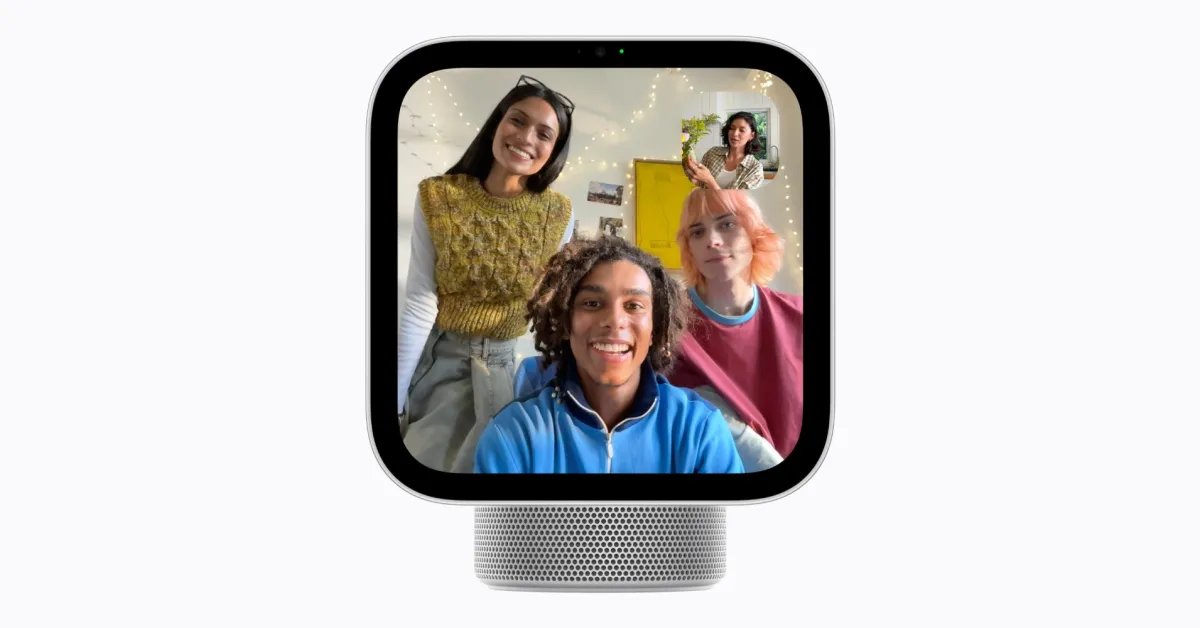
The introduction of the Apple HomeView represents a significant shift in the smart home ecosystem, marking the debut of a hardware category explicitly designed for centralized residential management. As pre-orders go live with a scheduled shipping date of November 13, the technical focus shifts to its operating environment. Unlike standard smart displays, HomeView utilizes a purpose-built interface that balances voice-driven command structures with a traditional grid-based application architecture.
The Architecture of the HomeView Interface
At its core, HomeView is designed to prioritize Siri AI for the majority of user interactions, allowing for hands-free control of home automation, scheduling, and communication. However, the inclusion of a classic Home Screen provides a familiar interaction layer for users who prefer visual navigation. This grid layout serves as a hub for both native Apple software and third-party integrations, mirroring the app management paradigms seen on other mobile platforms.
The device features a suite of nineteen pre-installed applications at launch. These include essential utilities such as Alarms, Timers, Calendar, and Reminders, alongside communication tools like FaceTime, Messages, and Intercom. For media consumption and information, the device supports Music, Podcasts, Safari, and Weather, alongside specialized tools like Find My and a dedicated Home app for managing Matter-enabled or HomeKit-compatible devices.
Managing Dependencies and Connectivity
A notable aspect of the HomeView software architecture is its reliance on secondary hardware for specific functionality. According to technical specifications provided by Apple, four of the core applications—Audiobooks, Classical Music, News, and TV—require an active connection to an iPhone to operate. This suggests that while the device possesses independent processing capabilities for local tasks, these media-heavy applications utilize the iPhone as a data bridge or processing partner.
To ensure performance, these applications are designed to synchronize seamlessly when both the HomeView and the iPhone are connected to the same local Wi-Fi network. This hybrid approach suggests that Apple aims to leverage the compute power of the iPhone for high-bandwidth content streams while keeping the HomeView device responsive for low-latency tasks such as smart home control and alarm management.
Third-Party Integration and Compatibility
The platform expands its utility through third-party support, specifically targeting developers who already maintain versions of their applications for the CarPlay ecosystem. Apple has established a policy allowing audio and video applications to extend their functionality to HomeView, provided they meet specific classification criteria.
This strategic decision significantly reduces the barrier to entry for developers. Since the design language and technical requirements for CarPlay apps often overlap with the needs of a stationary smart display, platforms such as Spotify are expected to be operational upon the device’s release. This categorization logic provides a pathway for a robust library of streaming services to populate the device, essentially treating the HomeView as a stationary companion device within the broader Apple hardware network.
Hardware Implications and Future Updates
While the initial software suite provides a comprehensive toolset for home management, the absence of a native Photos application is a point of discussion for early adopters. Although the current software includes support for photo-based watch faces and widgets, the lack of an dedicated gallery application limits the device’s potential as a digital frame for browsing personal libraries.
Given the modular nature of the HomeView operating system, it is reasonable to expect that Apple will iterate on these features in future software updates. The device is built with a high-resolution display interface that would support complex image rendering, suggesting that the primary limiting factor for a dedicated photos app might be resource allocation or user experience design priorities at launch. The current focus remains heavily tilted toward utility and automation, prioritizing tasks like checking the status of smart locks or managing daily schedules over media browsing.
Impact on the Smart Home Market
The HomeView arrives at a time when the smart home market is moving toward greater standardization. By integrating native support for voice commands through Siri AI and a curated list of essential apps, the device aims to become the primary control point for residential technology. The decision to allow third-party audio and video apps indicates an attempt to position the device not just as a controller, but as a central media node.
As the November 13 shipping date approaches, the real-world performance of these features, particularly the wireless synchronization between the HomeView and the iPhone for media playback, will be the ultimate test of the system’s stability. For users heavily invested in the Apple ecosystem, the HomeView offers a consolidated interface that aims to simplify the often-fragmented experience of managing multiple smart devices, provided that the software ecosystem continues to expand beyond the initial list of nineteen applications.
Disclaimer: This content is auto-generated for informational purposes only.
Source: Read Original News