








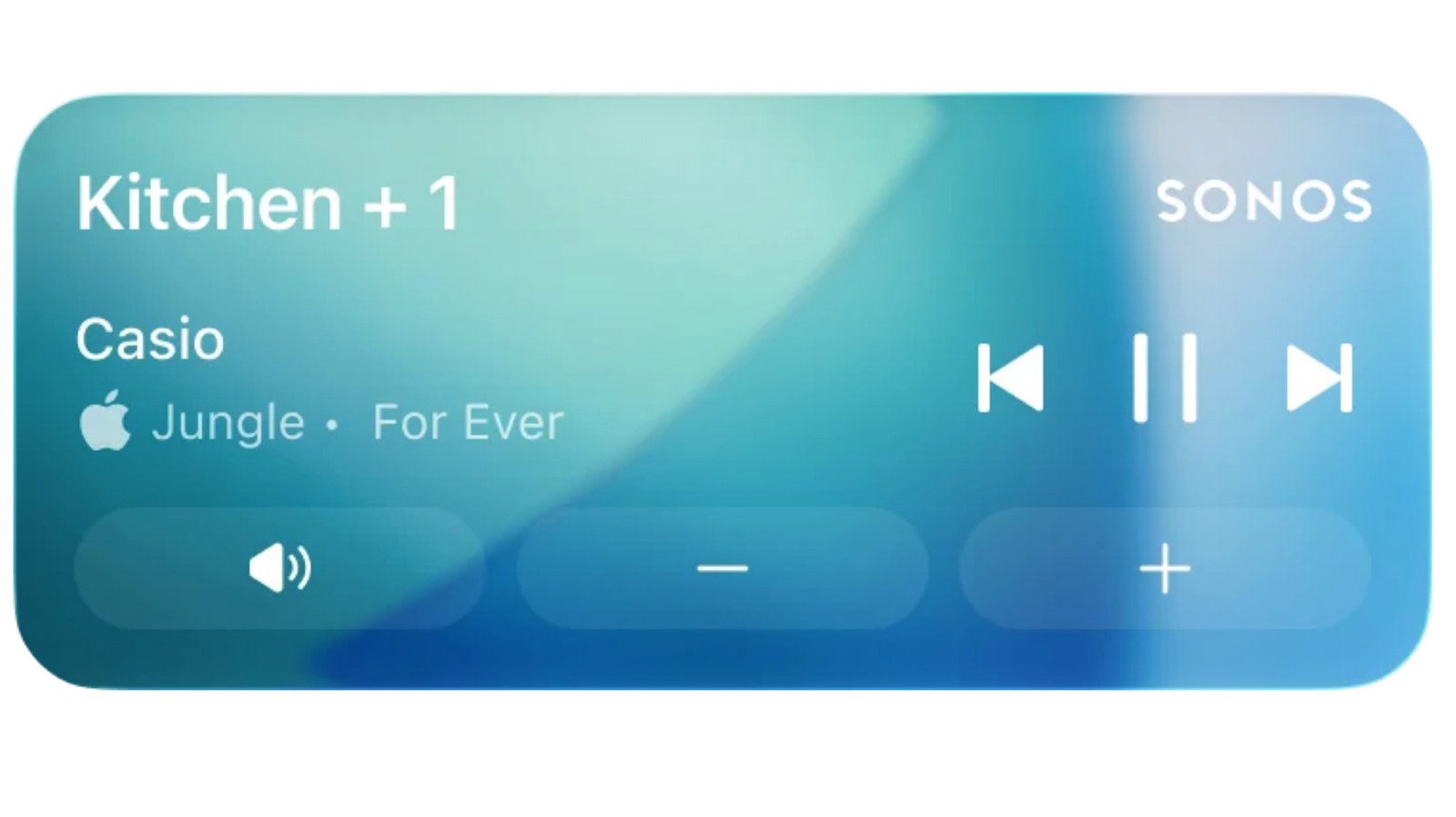
Sonos Brings Back iPhone Lock Screen Controls, Addressing User Demands
SANTA BARBARA, CA – [Date of Publication] – Sonos, the popular smart speaker manufacturer, has just released a significant app update that reintroduces a long-requested feature: iPhone lock screen controls. This highly anticipated integration leverages Apple’s Live Activities notification system, allowing users to conveniently manage their Sonos playback directly from their iPhone’s lock screen.
The update, which Sonos describes as a "much requested, anticipated and needed feature," enables users to see what’s currently playing on their Sonos system without unlocking their device. Once unlocked via Face ID or passcode, the lock screen interface expands to offer basic playback controls, including the ability to adjust volume and skip tracks. This Live Activity will gracefully disappear from the lock screen after 15 minutes of playback ceasing, ensuring a clean and uncluttered display.
However, the reintroduction comes with a few notable caveats. Currently, the Sonos app does not display album art on the lock screen, a visual enhancement many users might expect. Sonos has acknowledged this limitation, stating they are actively "exploring alternative ways to enhance" the experience. Furthermore, while the Live Activity will be visible in CarPlay and on Apple Watch, users will only be able to view playback information; direct control functionality is not yet supported on these platforms.
For long-time Sonos enthusiasts, this update evokes a sense of déjà vu. Sonos first introduced lock screen controls in 2016, offering similar convenience. However, this functionality was removed in 2023 when the original integration method no longer aligned with Apple’s evolving design framework.
The removal of this beloved feature coincided with what many users considered a "disastrous" redesign of the Sonos app. Launched in 2024, the revamped app was widely criticized for missing crucial functionalities and introducing numerous bugs. This led to a period where fundamental issues, such as fixing volume controls and resolving connection failures, took precedence over re-implementing lock screen support.
In the aftermath of the app’s rocky launch, Sonos publicly apologized and committed to a comprehensive roadmap for improvement. The company has since delivered on that promise, releasing a series of software updates that have systematically addressed user concerns. These updates have brought back essential features like an improved queue management system, a reliable local library, and numerous other core functionalities that were absent in the initial redesign.
The re-implementation of lock screen controls marks another significant step in Sonos’s journey to restore user trust and deliver a seamless listening experience. This move, enabled by Apple’s Live Activities, demonstrates Sonos’s commitment to responding to community feedback and bringing back the convenience users have long desired. While some limitations remain, the update signifies a positive direction for Sonos users, offering a glimpse into a more integrated and user-friendly future for their smart speaker systems.
[Image: A screenshot of an iPhone lock screen displaying the Sonos Live Activity, showing track information and playback controls (optional, if available and rights-cleared)]