







Google Unveils "App Handles" for Pixel 11 Pro Fold: A New Era of Multitasking
The foldable smartphone experience is evolving, and Google’s latest hardware release, the Pixel 11 Pro Fold, is leading the charge with a sophisticated new multitasking feature called "App Handles." Recently previewed in a Canary build, this innovative tool looks set to change how users interact with their devices, moving beyond the standard split-screen limitations we’ve grown accustomed to.
What are "App Handles"?
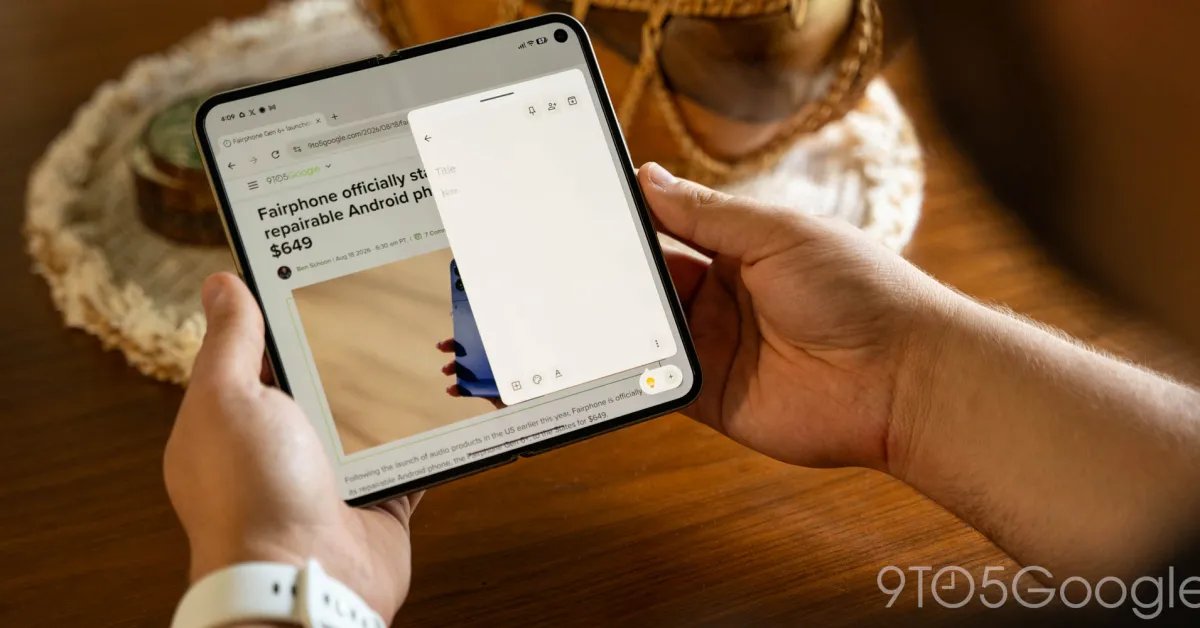
Built upon the foundation of Android’s existing "Bubbles" functionality, "App Handles" serves as a dedicated, persistent dock for floating windows. When you use the feature, you can drag any application to the bottom-right corner of the display. Instead of floating aimlessly, the app locks into a specific handle, remaining accessible while staying out of the way of your primary workflow.
The true brilliance of the feature lies in the gesture control. Users can trigger the app to pop up over their current screen with a simple upward swipe from the bottom corner. This effectively adds a functional "second layer" of multitasking to the foldable’s expansive canvas. For instance, a user can maintain two side-by-side applications on the main display while keeping a third app—like a calculator or messaging tool—ready for instant interaction in a windowed format.
Real-World Utility
Early adopters are already calling this App Handles the most significant advancement in foldable productivity since the introduction of the "Open Canvas" feature on the OnePlus Open.
During the first week of testing, the benefits have been immediate. Unlike traditional floating windows, which can feel cluttered or "finicky," this implementation feels seamless and intentional. When the device is folded, these handles intelligently transition into standard notification bubbles on the cover display, ensuring continuity throughout the user experience.
Why It Matters
For power users, the ability to maintain a clean workspace is paramount. "App Handles" addresses the frustration of being forced into rigid split-screen setups that may not align with an app’s formatting requirements.
Typical use cases that have already emerged include:
- Instant Note-Taking: Keeping Google Keep accessible for quick thoughts without disrupting a browser session.
- Communication Efficiency: Managing instant messaging threads in a floating window while reading long-form content.
- Productivity Research: Keeping a Chrome window docked for quick reference when cross-referencing information in another app.
The Future of Android Multitasking
As the Pixel 11 Pro Fold makes its way into the hands of consumers, the hope among tech enthusiasts is that Google will push this feature to earlier generations of foldable devices in future Android updates. Furthermore, there is a strong sentiment that other manufacturers, particularly Samsung, should take note and adopt this intuitive approach to window management.
By prioritizing flow and accessibility, Google has once again demonstrated that the true value of foldable hardware lies not just in the hinge, but in the software intelligence that makes the larger screen truly useful.