







Apple Shares Essential Tips to Accelerate Spotlight Indexing Ahead of Major OS Releases
As Apple prepares for the public rollout of iOS 27, iPadOS 27, and macOS 27, the company is managing user expectations regarding the significant background processing required for its revamped search infrastructure. To ensure a smooth transition to these new operating systems, Apple has published a new support document detailing how to optimize the Spotlight indexing process.
Why Indexing Matters for the New AI Era
The upcoming software updates introduce a more robust approach to how devices categorize data. This indexing process builds a comprehensive, searchable catalog of everything on your device—including photos, messages, files, app content, and system settings. This local index is the foundation that allows both the traditional Spotlight search and the new Siri AI to deliver near-instant results.
Because Apple prioritizes user privacy, this index is stored entirely locally on each device. Consequently, the heavy lifting of organizing your data must occur independently on every Apple device you own.
Preparing the Groundwork
Apple began readying users for this transition as early as iOS 26.6. That update included under-the-hood optimizations designed to pre-process certain data, effectively “front-loading” some of the work required to prepare the device for the full feature set of iOS 27. Despite these preparations, the sheer volume of data on modern iPhones and Macs means that the initial indexing phase can still be a resource-intensive task.
Three Ways to Speed Up the Process
Apple notes that depending on the amount of data stored on your device, the initial indexing phase can take anywhere from a few hours to several days. To help the system complete this task more efficiently, the company recommends three specific conditions:
- Keep the device idle: The system performs the most intensive indexing tasks when the device is not actively being used, preventing performance degradation during your daily tasks.
- Connect to power: Keeping your device plugged into a charger allows the system to utilize full processing power without worrying about battery conservation.
- Maintain an active network connection: Staying connected to Wi-Fi or Ethernet is critical, as the system may need to download metadata or sync specific data points (such as email content) to complete the cataloging process.
How to Monitor Progress
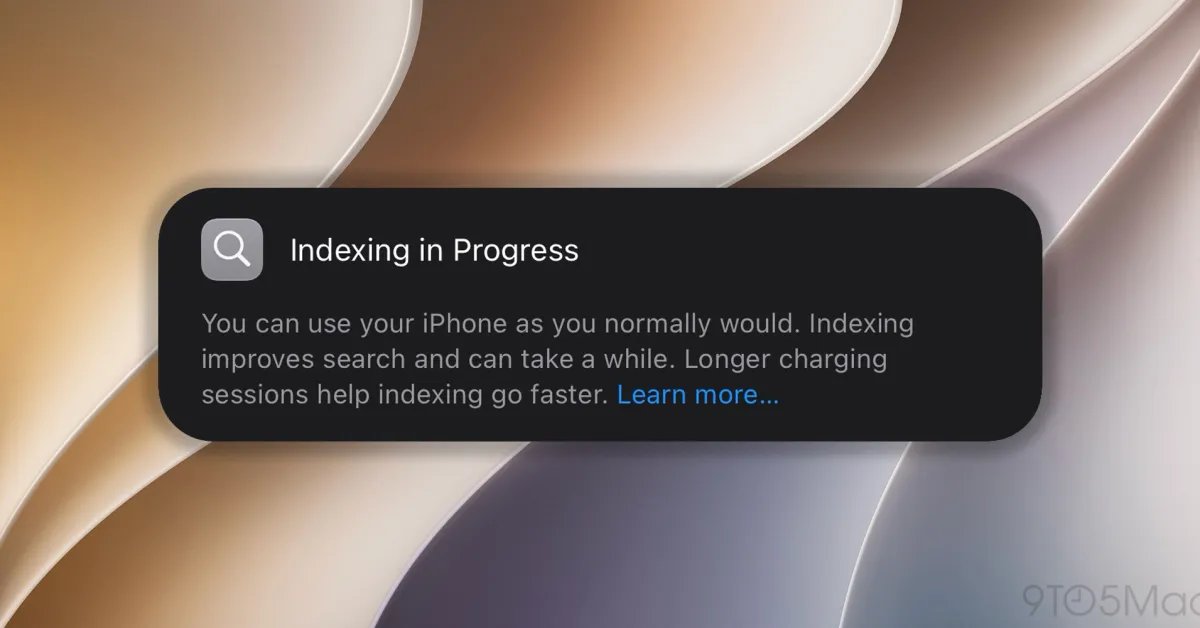
Users don’t have to guess whether the process is finished. Mac users can check the status by opening Spotlight (Command-Space) and looking for an indicator at the top of the window. On iPhones and iPads, a notification may appear within the Settings app indicating that “Search and Siri” are still optimizing. Additionally, the Mail app may display a specific notification if email-related indexing is still in progress.
While the initial setup may be time-consuming, Apple assures users that once the baseline index is established, all subsequent incremental updates to the catalog will be significantly faster. For further information and troubleshooting steps regarding unexpected search results, you can refer to the official Apple support documentation.