








Refining the Pixel Interface: Aesthetic and Functional Overhauls
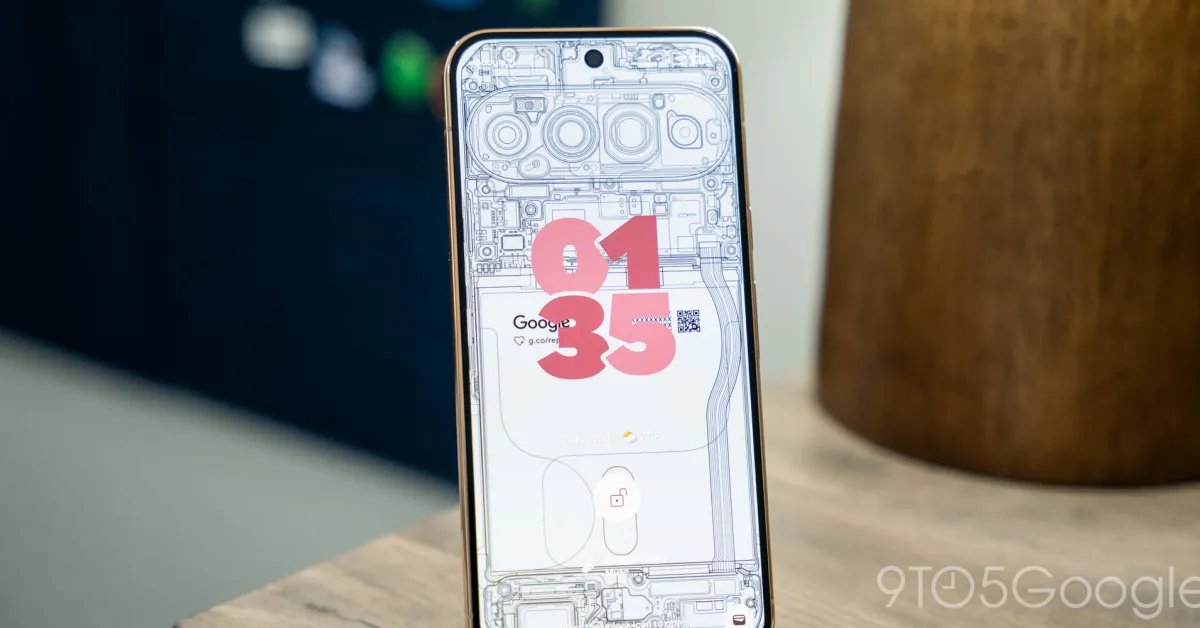
Google has officially released the Android 17 QPR1 update, marking the latest iteration of its quarterly platform releases for Pixel devices. This update follows a comprehensive beta testing period and arrives alongside the September 2026 Feature Drop, bringing a suite of system-level refinements to the entire range of supported Pixel hardware. The focus of this release centers on visual continuity and interaction efficiency, aiming to create a more cohesive experience across the operating system.
A primary visual theme in Android 17 QPR1 is the pervasive implementation of system-wide blur effects. Users will notice that the interface now leans heavily into translucency, particularly within the volume panel and the Power menu. These components now feature Dynamic Color-themed backgrounds that shift to match the user’s selected color palette, creating a fluid sense of depth. This update aligns the UI with the design language established in the previous Android 17 June release, specifically echoing the aesthetic transitions seen in the widgets picker. These adjustments serve to unify the visual hierarchy, ensuring that every layer of the system feels intentional and interconnected.
Advanced Media Management and Quick Settings
Interaction with system controls has undergone significant streamlining. The most notable change is the implementation of a new carousel-based interface for the system media player. When multiple applications are active and streaming content, the media player no longer relies on standard dot indicators to signify active sessions. Instead, it presents a dynamic preview of other open applications. This allows for a more intuitive switching process; the current media card minimizes to make room for previews, providing users with a clearer visual representation of their active background tasks.
Beyond media controls, the Quick Settings menu has received a series of functional enhancements. A new “bouncy” animation has been added to the opening transition, giving the menu a more responsive feel. Navigation is also improved via a redesigned edit icon located in the bottom-right corner of the panel. Among the more practical technical additions are the updated Mobile Data Tile, which now includes a “Don’t ask me again” toggle to streamline connectivity prompts, and a new dedicated tile for Keyboard access. This allows users to jump directly to the system input switcher, saving time for those who frequently alternate between multiple language settings or virtual keyboards.
System Navigation and Workflow Efficiency
Beyond the visual flourishes, Google has reconfigured how users interact with applications on their home screens. Long-pressing an app icon now triggers a menu that is clearly bifurcated into “App Shortcuts” and “System Actions.” This separation helps declutter the user interface by categorizing common tasks—such as launching an app—distinctly from deeper system-level commands like managing notification bubbles or modifying widget configurations.
The home screen experience also sees refinements to the wallpaper selector. By tightening the corner rounding and removing unnecessary spacing between menu items, the interface feels more compact and accessible. These adjustments are complemented by a new M3 Expressive Settings icon, a design element originally introduced on the Pixel Watch that is now migrating to the phone platform. These small, granular updates are indicative of Google’s push toward a more standardized UI footprint across its hardware ecosystem.
Health Tracking and Camera Integration
The update introduces notable improvements to the Health Connect framework. Android 17 QPR1 expands the data tracking capabilities of Health Connect on mobile devices; users can now monitor distance and calories burned directly through the system. This provides a more comprehensive health dashboard without requiring constant reliance on third-party integrations.
Furthermore, power users will notice a shift in how the camera is accessed from a locked state. The double-tap power button shortcut now features a distinct launch animation, providing immediate visual feedback that the hardware request has been registered and is executing. Additionally, the Screen recording tool has been updated to remember the user’s last-used application as a default setting, reducing the number of taps required to initiate a recording session after the first use.
Compatibility and Deployment Strategy
The rollout of Android 17 QPR1 is extensive, covering a wide range of devices from the Pixel 6 series up through the latest Pixel 11 models. This broad support underscores Google’s commitment to long-term software maintenance. The release is currently available as an over-the-air (OTA) update, and users are encouraged to navigate to Settings, then System, and finally System Update to verify their status.
For those currently participating in the Android 17 QPR1 Beta program, the transition to the stable version is straightforward. Users will receive a final, smaller update that converts their current beta installation into the production build. Participants who wish to exit the beta program must do so through the official portal before the update is applied; notably, moving to the stable release will not require a device wipe, ensuring a seamless transition for testers. The Android Beta Program will remain operational, continuing the cycle of testing for future quarterly platform releases and upcoming feature drops.
Disclaimer: This content is auto-generated for informational purposes only.
Source: Read Original News