








The era of ubiquitous third-party antivirus software, once dominated by familiar names like Norton, McAfee, and Avast during the PC’s ascendancy, has largely passed. Today, the widespread installation of such antivirus app on smartphones, particularly those running Android, is no longer the norm. This shift is primarily due to the inherent security capabilities now embedded within modern mobile operating systems.
While it’s true that no device is entirely immune to malicious software, contemporary Android smartphones come equipped with a baseline of security that is often sufficient for the average user. This integrated protection means that safeguarding your device isn’t solely your responsibility anymore. However, the necessity of additional security measures can vary significantly depending on individual usage patterns and risk profiles.
Despite significant advancements in built-in security, Android devices are not completely impervious to threats. They remain susceptible to viruses, malware, and security breaches, much like any other software platform. Furthermore, mobile devices face unique challenges, such as malicious push notifications, which a 2025 Gen threat report indicated had tripled within a mere three months. Spyware also presents a persistent and growing concern for mobile users, as highlighted by a subsequent Gen Threat report.
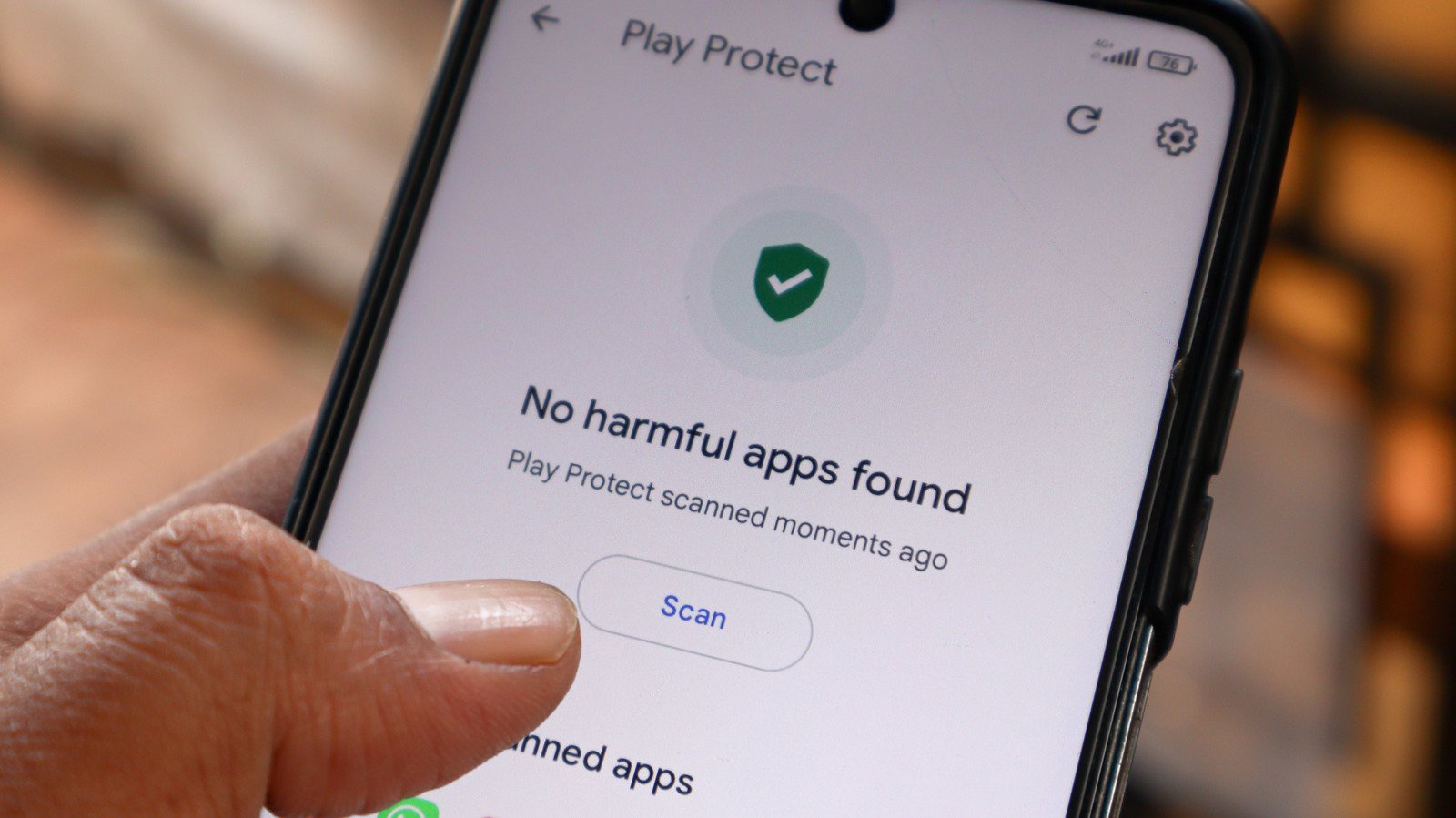
Fortunately, for most users, Android incorporates robust features and settings designed to automatically protect devices from these dangers. A cornerstone of this defense is Google Play Protect, which acts as the primary barrier against harmful applications. Google reported that in 2025 alone, it successfully blocked 27 million new malicious apps from entering the Play Store. This system continuously scans installed applications, both at the point of installation and thereafter, for potential threats. Should a threat be detected, Google Play Protect can either disable the application or automatically remove it, depending on the severity of the risk.
Beyond Play Protect, Android employs built-in sandboxing, a critical security mechanism that isolates each application. By assigning a secure user ID to every app, Android ensures that applications operate in a confined environment, preventing them from interacting with other apps on the device without explicit permission. Moreover, modern Android smartphones regularly receive security updates to patch vulnerabilities, and their permissions system is designed to be proactive and opt-in, safeguarding personal data, contacts, and environmental access. Google Play Protect further enhances this by alerting users to apps requesting access to sensitive data and by automatically resetting permissions for applications that haven’t been used in a while.
Android’s security framework is continuously evolving, with artificial intelligence playing an increasingly vital role. Future developments include phone call spoofing protection, aimed at blocking scammers impersonating high-risk entities like banks. Google is also expanding its live threat detection capabilities to identify suspicious app behaviors, such as unauthorized SMS forwarding. Furthermore, Google has revised its policy regarding Android app sideloading. Soon, only “experienced users” will be permitted to install apps that bypass the Play Store’s protections, subject to an initial 24-hour cooldown period and mandatory ID checks for developers.
However, some of the most significant mobile risks are those that traditional antivirus software cannot effectively counter. The security landscape has shifted from purely virus-based threats to a broader array of attack vectors that primarily rely on manipulating users into unwittingly compromising their own data. Social engineering is at the forefront of these dangers. Fake text messages and phone calls are highly effective tools for scammers, exploiting human psychology. Although Android is developing AI-powered live threat protection to combat this, these features are not yet universally available. Users frequently encounter deceptive texts containing phishing links designed to trick them into revealing sensitive information, such as passwords or personal details, which can then be exploited. Scams involving fake tech support, distress calls from family members, or elaborate financial romance schemes are all psychological threats against which no antivirus solution can provide protection.
Users also face risks when connecting to public Wi-Fi networks. These unsecured connections, especially in busy locations like airports or hotel lounges, can expose devices to danger. The TSA itself has issued warnings about the inherent risks of open Wi-Fi. While a VPN that encrypts your internet connection generally offers superior protection, Android antivirus software might offer a secondary line of defense by scanning for malware downloaded in the aftermath of a compromised connection.
For individuals who frequently sideload Android apps, meaning they install applications from sources other than the official Google Play Store, a third-party antivirus app might offer a sensible layer of additional security. Although Google Play Protect still scans sideloaded apps, its effectiveness is negated if the feature is disabled or if the device lacks Google Play services entirely. Google’s upcoming enhanced protection against app sideloading will only apply to certified Android devices.
Installing an antivirus app can also be beneficial if there are clear indications that your Android phone might be infected. Symptoms such as persistent pop-ups, sluggish performance, unusual permission requests, or unexplained battery drain could all signal a potential infection. While these issues aren’t exclusively caused by malware, they warrant investigation. Similarly, users operating older Android smartphones that no longer receive regular OS or security updates face a higher risk. While an Android AV cannot fully substitute for these crucial updates, it can provide a measure of protection against scenarios where high-risk vulnerabilities are being actively exploited.
Ultimately, for most users, dedicated antivirus applications for Android smartphones are not strictly necessary. Google Play Protect effectively safeguards against malicious apps, and a VPN can ensure secure online activity. Android’s design intrinsically limits app interactions, and its opt-in permissions system grants users significant control over what apps can access on their device.
However, for particularly high-risk users—those who frequent risky websites or regularly sideload apps, especially with Google Play Protect disabled—an antivirus could offer additional peace of mind. In such cases, choosing a reputable antivirus developer from the Play Store is crucial. Major brands like Norton continue to offer comprehensive security suites that often include VPN connectivity, malicious ad blocking, and SMS filtering.
Nevertheless, user education remains one of the most potent forms of defense. By proactively avoiding high-risk scenarios, users can significantly enhance their long-term security. This involves being cautious with unknown calls and exercising skepticism when encountering unusual messages, even from trusted contacts, if they seem out of character.
There is no inherent problem with not having an Android antivirus installed. Some even argue that such software is entirely obsolete. The reality is more nuanced, depending on individual usage. Fortunately, Google’s integrated security measures provide robust protection for the vast majority of Android users, often without them even realizing it. These built-in defenses are continuously evolving to counter new and more sophisticated threats, making external antivirus solutions less critical for the average user.