







Unlocking Potential: New "HiLight Studio" App Gains Control Over Google Pixel 11 Pro’s RGB Lighting
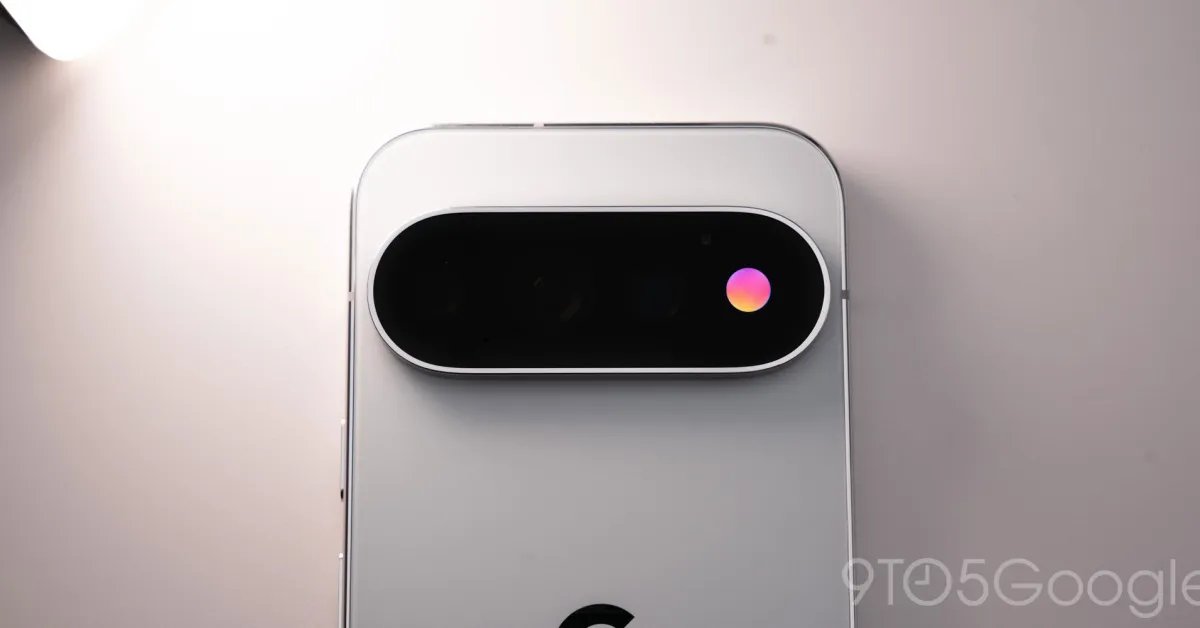
The "HiLight" system is undoubtedly the standout hardware feature of the new Google Pixel 11 Pro, yet it launched with restrictive software limitations that left many users wanting more. While Google intentionally siloed the RGB light to function primarily for specific call notifications and a status indicator for Gemini, the Android community has already bypassed these constraints, proving that the hardware is capable of much more than Google initially allowed.
As highlighted by tech commentator David Imel, a developer known as @Dhananjay_Tech has successfully engineered a way to take full control of the Pixel 11 Pro’s LED array, effectively liberating the hardware from Google’s restrictive ecosystem.
Introducing HiLight Studio
The result of this breakthrough is an unofficial application called HiLight Studio. This tool transforms the "HiLight" strip from a simple notification light into a deeply customizable system.
Unlike the stock implementation, which is limited to a handful of pre-selected alerts, HiLight Studio offers:
- Granular Customization: Users can set unique lighting patterns and color schemes on a per-app basis.
- Persistent Lighting: The ability to keep the "HiLight" LED active at all times, rather than only when triggered by specific system events.
- Preset Sharing: The app includes functionality to build, save, and export custom light configurations, allowing the community to share their favorite aesthetic patterns.
The Trade-off: High Complexity
While the app provides the functionality enthusiasts have been clamoring for, it is not a "plug-and-play" experience. Because Google did not design the Pixel 11 Pro to support third-party lighting integration, installing the tool requires a technical workflow.
The process involves sideloading the application via GitHub and utilizing advanced Android tools like Shizuku and ADB (Android Debug Bridge) from a computer to grant the necessary permissions. Additionally, the app currently requires users to reactivate it after every device reboot, a hurdle created by the system’s restrictive security architecture.
A Signal to Google
The rapid arrival of "HiLight Studio" on day one serves as a clear message to Google regarding user demand. By restricting the API, the company left a significant portion of the feature’s potential untapped. While this custom solution proves that the hardware is capable of sophisticated, user-defined lighting, it remains a "use at your own risk" endeavor for power users.
For now, enthusiasts are hoping that the success of third-party modifications might encourage Google to eventually open up official developer APIs, allowing for a more stable and user-friendly way to harness the full potential of the Pixel 11 Pro’s unique lighting hardware.