








A New Era for the Surface Lineup
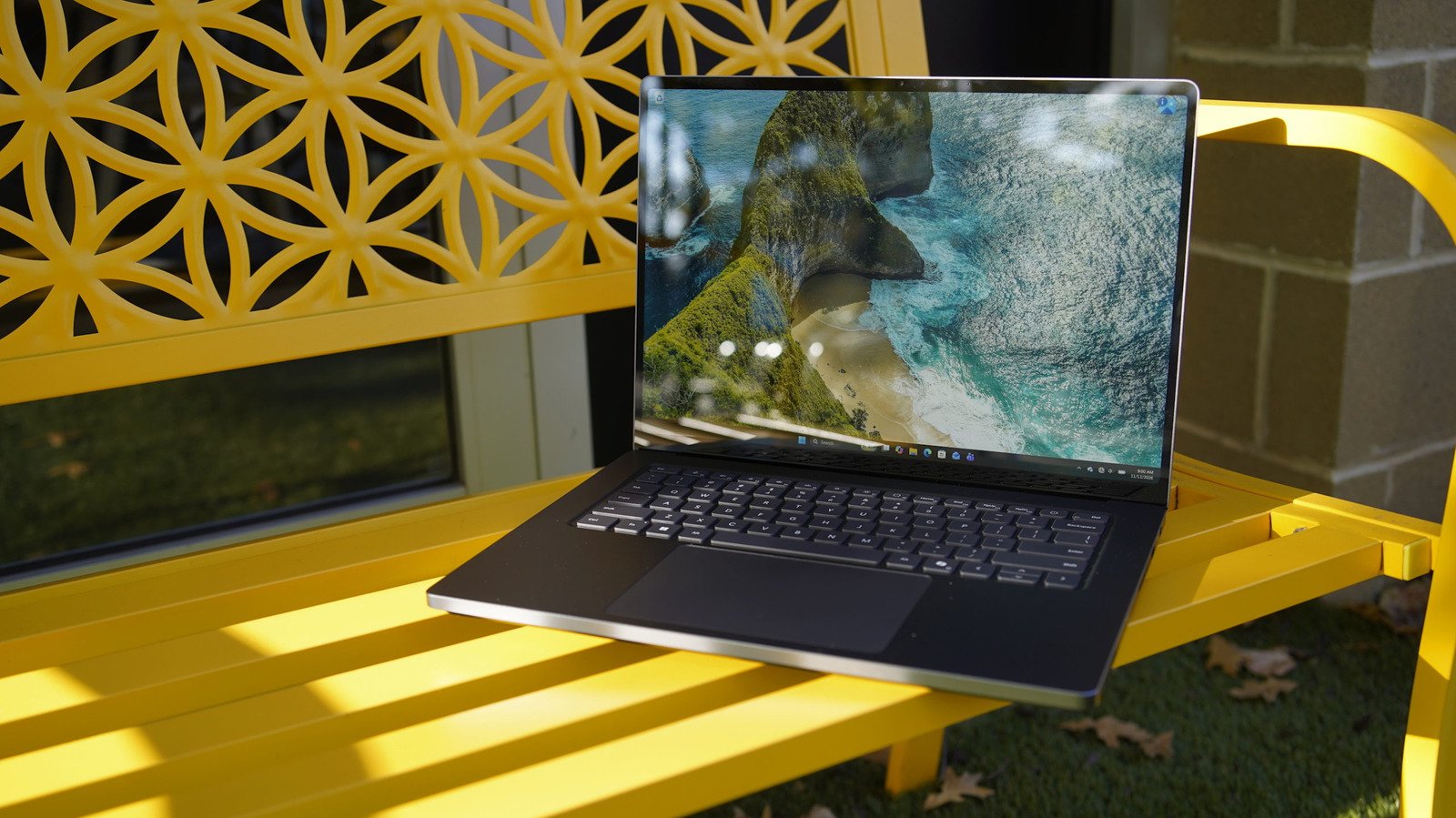
Microsoft has officially unveiled the Surface Laptop Ultra, a significant departure from its historical focus on hybrid form factors. Eschewing the kickstands and detachable keyboards that defined the Surface brand for over a decade, the Ultra adopts the persona of a sleek, traditional, all-metal business notebook. However, underneath its minimalist exterior lies a radical hardware overhaul. The 15-inch display features a 3:2 aspect ratio, favoring vertical workspace over the standard widescreen format, while the chassis design incorporates a segmented base reminiscent of the Surface Laptop Studio. This structural adjustment provides necessary room for advanced thermal management and a sophisticated downward-firing speaker array.
The RTX Spark: Performance and Unified Memory
The defining technological achievement of the Surface Laptop Ultra is the integration of the NVIDIA RTX Spark. This Arm-based system-on-a-chip (SoC) represents a major shift toward high-performance computing on the Windows platform. The top-tier configuration boasts up to 20 CPU cores and 6,144 GPU cores, paired with 32GB of RAM. The entry-level model, priced at $2,600, offers 18 CPU cores and 5,120 GPU cores.
Much like modern approaches in Silicon design, the RTX Spark utilizes unified memory architecture. By allowing both the CPU and GPU to share the same pool of high-speed memory, the system achieves greater bandwidth than traditional motherboards where these components are physically separated. This architectural choice is critical for the local execution of large-scale artificial intelligence models, positioning the Surface Laptop Ultra as a workstation capable of handling complex generative tasks without relying on cloud-based processing.
Graphics Fidelity and Gaming Capabilities
Beyond its utility for AI, the RTX Spark chip serves as a formidable engine for graphics-intensive workflows and entertainment. Its performance profile is comparable to an RTX 5070 laptop GPU, enabling highly capable 1440p gaming. Through the application of NVIDIA’s DLSS upscaling and frame generation technologies, the system maintains fluid frame rates even at 4K resolution. While the price point of the Ultra—which starts at $2,600—places it well above many dedicated gaming notebooks, the inclusion of such potent graphical hardware provides a unique proposition for professionals who require a productivity machine that does not falter when tasked with high-end rendering or demanding recreational software.
Software Compatibility and the Arm Transition
The move to an Arm-based CPU brings inherent benefits in power efficiency, but historically, the Windows on Arm experience has been hindered by software compatibility hurdles. To address this, Microsoft has invested heavily in its emulation layer for x86-64 applications. Previously, niche drivers and kernel-level anti-cheat software created significant friction for users. However, the current iteration of the Surface Laptop Ultra demonstrates that this gap has largely been bridged. Users can now run a vast library of legacy Windows software and even high-demand multiplayer titles like Fortnite without the stability issues that plagued earlier experimental Arm systems. This improvement is vital for the longevity of the platform, as it ensures that the power of the RTX Spark is accessible to the broadest possible range of applications.
Display Technology and Tactile Interface
Microsoft’s display engineering continues to push boundaries with the Ultra’s 15-inch mini-LED panel. Capable of reaching 2,000 nits of HDR brightness, the screen is designed to excel in challenging lighting conditions and provide high-contrast visuals for media professionals. While competition in this sector remains fierce, the implementation of mini-LED allows for vibrant color reproduction and deep black levels that rival high-end OLED alternatives.
Interaction with the device is further refined through a refined keyboard and trackpad. The keyboard maintains the signature depth and feedback that users expect from the Surface line, while the haptic-enabled trackpad introduces a new layer of software integration. By providing subtle physical nudges when windows are moved or locked to the screen edges, the interface creates a more responsive digital environment. These small tactile signals represent a thoughtful evolution of the Windows operating system’s user interface.
Connectivity and Universal Charging Standards
The Surface Laptop Ultra makes a bold move toward universal standards with its magnetic USB-C charging mechanism. By creating a custom connector that functions with standard USB-C ports, Microsoft has achieved the benefits of a breakaway, magnetic charger—preventing damage from cable tension—without abandoning the compatibility of the USB-C ecosystem. The laptop can charge using any standard USB-C cable, a practical convenience for modern mobile professionals.
The port selection is equally robust, aligning closely with industry-standard professional notebooks. The device features three USB-C ports, HDMI output, an SD card slot, and a headphone jack. Perhaps most notably, Microsoft has included a USB Type-A port, a concession to the reality that many legacy peripherals and specialized hardware components still require this standard. This combination of cutting-edge SoC technology, legacy port support, and refined chassis design makes the Surface Laptop Ultra a comprehensive tool for those navigating both modern AI workflows and traditional professional computing needs.
Disclaimer: This content is auto-generated for informational purposes only.
Source: Read Original News