








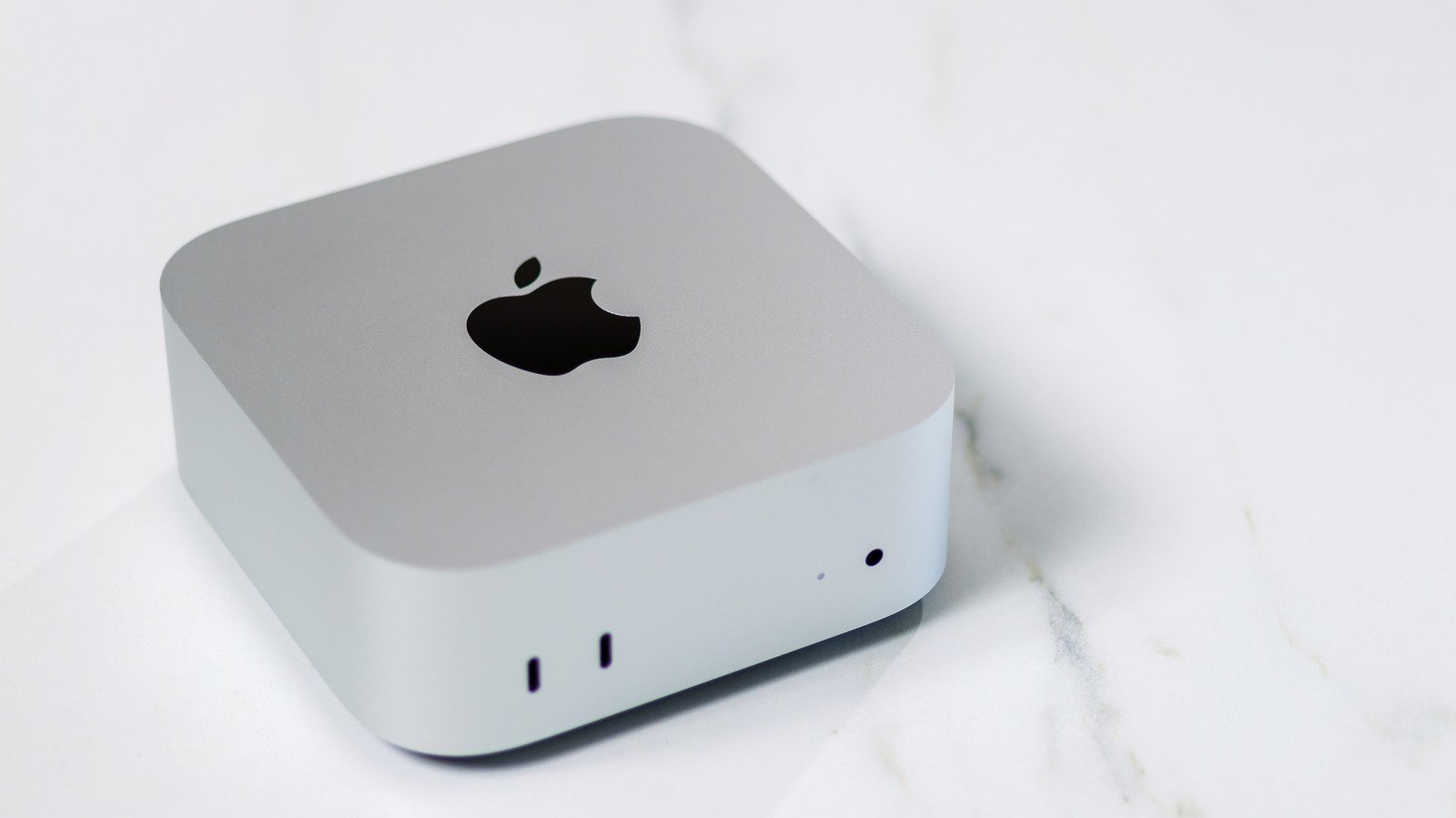
The Mac mini remains a cornerstone of the Apple desktop ecosystem. As a compact yet powerful machine, it offers a distinct value proposition, particularly for users who do not require the portability of a MacBook or the extreme power of the Mac Studio. Whether you are operating on the latest M6 architecture or utilizing the M5 Pro, the utility of the hardware is ultimately defined by the software environment you cultivate. To extract maximum productivity and enjoyment from your setup in 2026, integrating the right applications is a critical step for any new or existing user.
Opera One: Redefining Web Browsing
While Safari is the default browser on macOS, it often falls short of the demands placed on it by modern, heavy-duty web workflows. Opera One has emerged as a superior alternative for users who prioritize performance and organization. Built on the Chromium engine, it avoids the power-hungry nature that often slows down Safari under heavy loads.
The version R3 release introduces significant quality-of-life updates, most notably the Tab Islands feature. This tool allows users to group tabs automatically, which can then be color-coded and named to keep complex projects organized. Furthermore, the browser integrates advanced AI that delivers faster responses and enhanced on-screen awareness. A standout feature for desktop users is the split-screen functionality, which allows for viewing two tabs simultaneously within a single window, significantly streamlining multitasking without the clutter of multiple browser instances.
Portal: Enhancing Well-being and Focus
Productivity is rarely sustained by intense work alone; managing the digital workspace is equally vital to long-term performance. Portal – Escape Into Nature provides an immersive solution for those requiring deep focus or recovery time. The application delivers high-quality landscape visuals paired with spatial audio, creating a simulated natural environment that can mask office distractions or provide a grounding atmosphere during stressful periods.
A primary technical highlight is the Circadian Flow feature, which synchronizes the application’s atmosphere with your specific time zone. As the day progresses, the landscapes and sounds transition to match the natural light and rhythm of your environment. Beyond its ambient capabilities, Portal integrates with smart lighting setups to adjust your room’s environment, creating a cohesive sensory experience. With a redesigned interface and Siri AI integration, it serves as a sophisticated tool for mental clarity.
Ulysses: A Professional Writing Environment
For those who rely on the Mac mini for documentation, creative writing, or journalism, Ulysses offers a dedicated environment designed to remove the distractions found in standard word processors. Unlike Pages or Microsoft Word, which cater to a broad range of office tasks, Ulysses is architecturally focused on the writing process.
The application utilizes a library-style organizational system, allowing users to categorize projects, drafts, and notes into separate folders. This is particularly effective on the larger displays typically paired with a Mac mini. Beyond its organizational prowess, Ulysses includes sophisticated grammar and style analysis supporting over 20 languages. It monitors for syntax, punctuation, and semantic clarity, providing real-time suggestions. Furthermore, it supports seamless exporting and publishing to major platforms such as WordPress, Ghost, and Medium, making it an essential tool for content creators who need to move text from draft to digital publication rapidly.
ExpressVPN: Securing the Desktop Experience
Security and network flexibility are essential considerations for any desktop user. ExpressVPN provides a robust layer of protection by masking your IP address and preventing intrusive tracking. Beyond the primary benefit of data privacy, a VPN provides significant utility for users who need to interact with region-restricted content or verify how web services appear across different global locations.
For professionals or those conducting research, the ability to bypass geolocalization restrictions allows for easier testing of digital services and access to region-specific web resources. On a Mac mini, which is often a stationary fixture, having a reliable VPN that handles connection overhead efficiently ensures that your browsing remains secure without introducing significant latency. The software is designed for ease of use, allowing users to toggle connections across various server locations with a single command.
Pixelmator Pro: Streamlined Graphic Editing
Graphic manipulation is a common task, yet industry-standard software like Photoshop can often be overkill for general users. Pixelmator Pro provides a highly capable alternative that leverages machine learning to automate complex image editing tasks. Whether you need to remove unwanted elements, adjust color profiles, or enhance resolution, the application provides a straightforward interface that avoids the steep learning curve of professional-grade suites.
While Apple has integrated Pixelmator technology into its broader Creator Studio subscription model—which includes heavyweights like Final Cut Pro and Logic Pro—the standalone purchase version of Pixelmator Pro remains a highly relevant tool for those who prefer a one-time license. The software is optimized to utilize the Apple Silicon architecture, ensuring that even complex edits are processed with high efficiency. It remains a essential utility for users who need to perform clean, professional image adjustments without committing to recurring software subscriptions.
Methodology Behind App Selection
The selection of these applications focuses on universal utility rather than niche functionality. By analyzing staff usage patterns, customer feedback, and general industry standards, we identified tools that serve fundamental daily requirements: browsing, focus management, writing, network security, and photo editing. While the landscape of macOS software is vast, these five applications represent the most reliable and efficient options to elevate a Mac mini setup. Users are encouraged to evaluate their specific needs against these options to build a workstation that balances performance with user-friendly operation.
Disclaimer: This content is auto-generated for informational purposes only.
Source: Read Original News