









Declutter Your Development Workflow: CleanMyMac Launches New CLI Tool
For most software developers, the Terminal is home base. It is where code is compiled, logs are monitored, and scripts are executed. However, this high-traffic environment is also a magnet for digital debris: bloated package-manager caches, obsolete build artifacts, sprawling Docker layers, and forgotten Xcode temp files. Historically, clearing this clutter required minimizing the terminal and navigating to a separate GUI application—a context switch that often breaks a developer’s focus.
Recognizing this friction, MacPaw has released a new CleanMyMac CLI, a powerful command-line interface designed to bring the company’s proven cleanup technology directly into the environment where developers work best.
Bringing Cleanup to the Command Line
CleanMyMac CLI is built upon the same robust logic that powers the long-standing graphical desktop application. By exposing this functionality through shell commands, the tool allows developers to manage their system storage without ever needing to touch a mouse or switch windows.
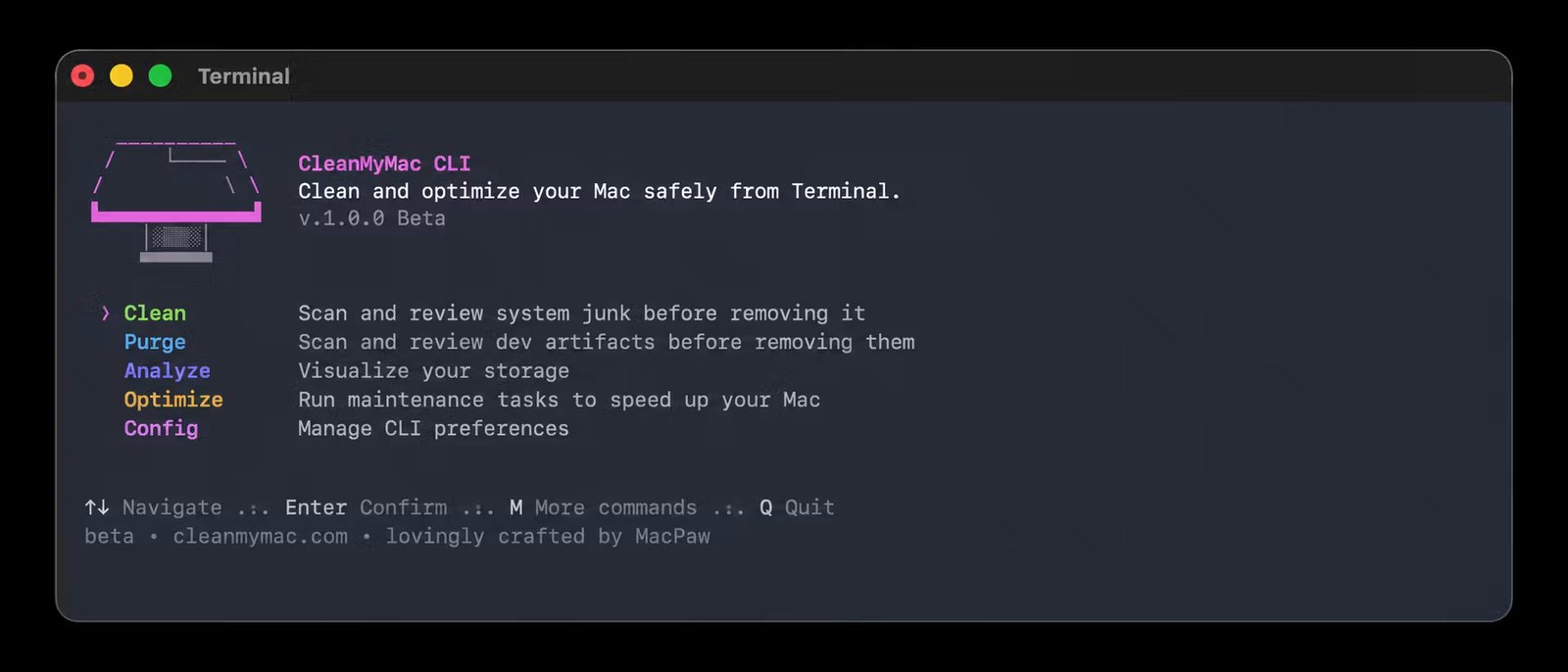
The utility is categorized into four primary functions:
- Clean: Targets system junk, caches, and trash.
- Purge: Identifies and clears project-specific artifacts like
node_modulesand virtual environments. - Analyze: Provides an interactive overview of disk usage.
- Optimize: Performs lightweight maintenance, such as releasing inactive RAM.
Designed by Developers, for Developers
The motivation for this release was internal; MacPaw’s own engineering team wanted a better way to reclaim gigabytes of storage from Docker images and nested directories without leaving the command line.
The tool features a safety-first approach. Before any file is deleted, the CLI scans the target and presents a clear, categorized preview. The default confirmation behavior is set to “no,” ensuring that accidental deletions are avoided. Furthermore, developers can use an ignore list to protect specific project directories from future scans.
Installation and Usage
The tool is built for modern macOS (Big Sur 11.0 or later) and integrates seamlessly with Homebrew, the standard package manager for the macOS developer community. Installation is simple:
bash
brew install –cask macpaw/taps/cleanmymac-cli
Once installed, users can verify the tool with cleanmymac --version. While the interactive menu provides an easy entry point, the tool is designed to be scriptable, allowing developers to automate cleanup tasks as part of their daily workflow.
A Professional Alternative
While some open-source scripts exist for disk cleanup, MacPaw emphasizes that their CLI offers a “maintained, reliable, and accountable” solution. Because the scanning logic is proprietary and refined over a decade, it offers a level of safety and precision that simple custom scripts may lack.
For developers struggling with storage pressure—a near-constant condition in modern software engineering—CleanMyMac CLI offers a path to keeping a machine lean without interrupting the development cycle. It is not intended to replace the full CleanMyMac desktop app, but rather to serve as a specialized, high-efficiency tool for those who prefer to keep their hands on the keyboard.
Developers are encouraged to test the tool, review the documentation on the official repository, and share feedback with the development team.