







USB-C: The Evolution of the Connector
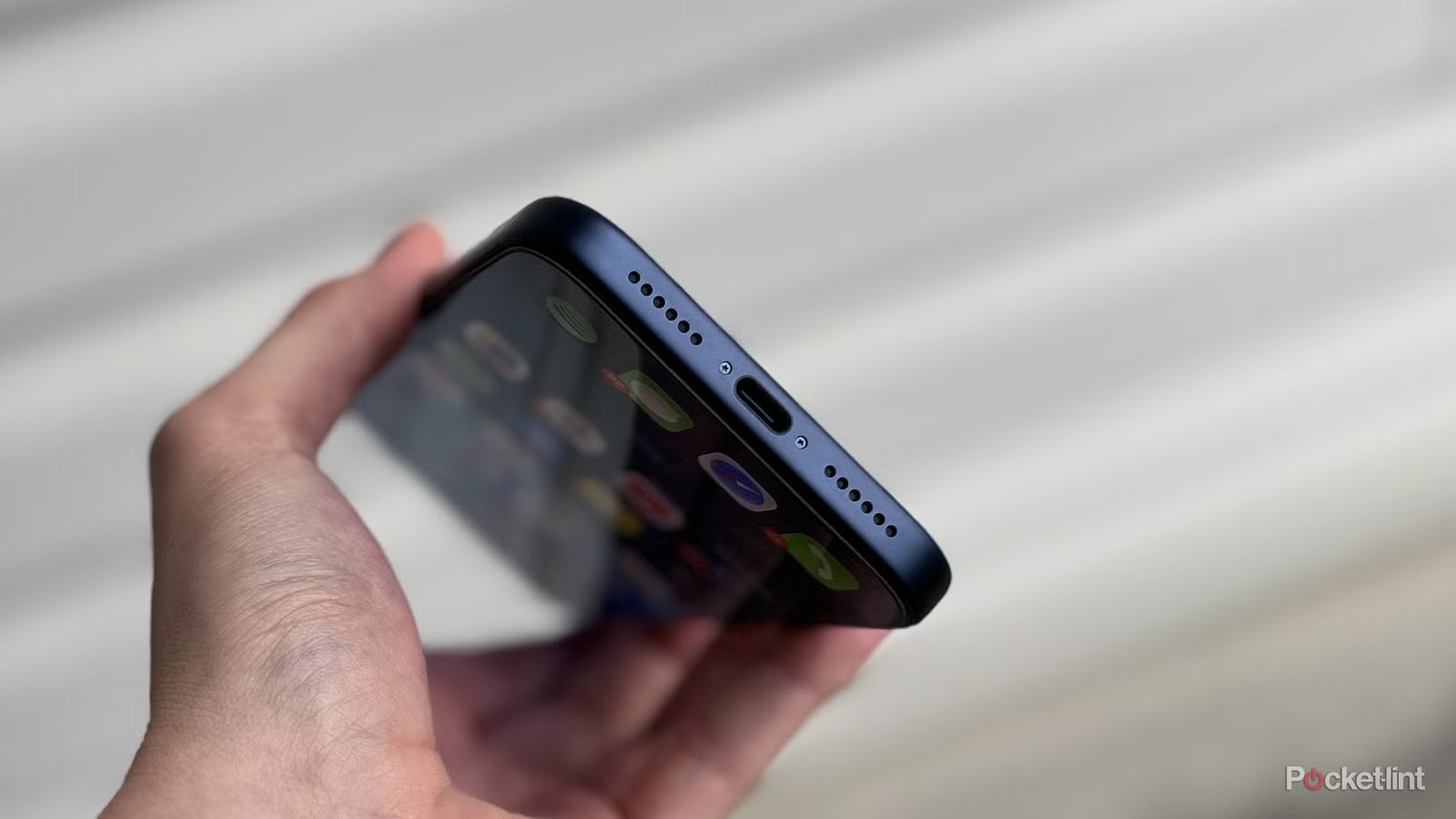
USB-C has effectively become the universal standard for modern electronics. From high-end laptops and gaming consoles to smartphones like the iPhone 15 and beyond, this small, oval-shaped port serves as the gateway for power delivery and data transfer. However, the ubiquity of the technology often masks its origins, leading many users to wonder about its nomenclature. Specifically, people often ask what the “C” stands for.
To clear up the confusion: the “C” does not stand for “connector,” “charging,” “compact,” or any other descriptive term. It is simply a sequential label. When the USB Implementers Forum (USB-IF) developed this new standard, they continued the naming convention established by its predecessors: USB-A and USB-B. The “C” is purely an identifier for the third generation of the physical interface design, following the “A” and “B” types that defined the early era of peripheral connectivity.
Understanding the USB Family Tree
The history of the Universal Serial Bus began in 1996, spearheaded by a consortium of industry leaders including Intel, Microsoft, and IBM. The goal was to replace a chaotic mess of proprietary ports with a single, standardized way to connect peripherals like mice, keyboards, and printers to a computer.
USB-A is the rectangular port that dominated the industry for decades. While still found on many legacy devices and flash drives, its bulky size and rigid, non-reversible orientation made it increasingly unsuitable for the ultra-thin smartphones and tablets of the modern era. USB-B, conversely, was designed for larger peripheral devices. Most users recognize this as the square-ish connector found on the back of desktop printers or the smaller, trapezoidal “micro-USB” variants that powered the majority of Android smartphones prior to the widespread adoption of USB-C.
USB-C represents a radical departure in physical design. Unlike its predecessors, which required the user to align the plug with the port in a specific orientation, USB-C is symmetrical. This reversible design allows the user to insert the cable in either direction, significantly reducing wear and tear on the port and improving overall usability. Because the physical connector is so small, it has become the essential choice for manufacturers pushing for thinner, lighter hardware designs.
Performance Protocols Versus Physical Connectors
One common misconception is that the USB-C label guarantees a specific level of performance. This is not the case. A common point of friction for consumers is that while the physical shape of the port—the “C” part—is standardized, the underlying technology inside can vary wildly between devices.
The physical connector is merely the bridge. The actual data transfer speeds and power delivery capabilities are dictated by the underlying protocol supported by the host device and the cable itself. A USB-C port on a budget smartphone might only support USB 2.0 speeds (480 Mbps), while a high-end workstation might feature a port that supports USB4 or Thunderbolt 4, capable of handling 40 Gbps.
This distinction is vital for hardware compatibility. For instance, the base model of an iPhone or a budget Android handset may use a USB-C port that is electrically limited to slow data transfer speeds. In contrast, the “Pro” versions of those same devices often include controllers that support significantly faster protocols, such as USB 3.2. Consequently, the user experience regarding how quickly one can move large video files or sync data is entirely dependent on the internal controller chip rather than the appearance of the port itself.
The Critical Role of Cable Quality
Because USB-C is a versatile standard that handles everything from 5W charging to 240W power delivery and high-resolution display output, the cable becomes the most important link in the chain. Not all USB-C cables are built to the same standard.
A cable might physically fit into both a monitor and a laptop, but if that cable lacks the internal wiring or the “E-marker” chip required for high-speed data or high-wattage power, it will default to the lowest common denominator of performance. This leads to common issues where a device charges slowly, or a display fails to output a signal despite being “plugged in correctly.”
When choosing accessories, it is essential to look at the specifications on the packaging. A cable marketed for simple phone charging may be incapable of transmitting data at the speeds required for external hard drives or docking stations. As technology continues to consolidate around this single form factor, understanding these technical distinctions allows users to maximize the utility of their hardware and avoid performance bottlenecks in their daily digital workflows.
Disclaimer: This content is auto-generated for informational purposes only.
Source: Read Original News