





HP has entered the emerging Googlebook market with its latest 14-inch laptop, a device that serves as a testament to the company’s engineering prowess while simultaneously highlighting the growing pains of Google’s newest platform. For users looking for high-quality hardware, the HP Googlebook 14 is an impressive piece of equipment, though its success is tempered by the current limitations of its operating system.
Industrial Design and Physical Build
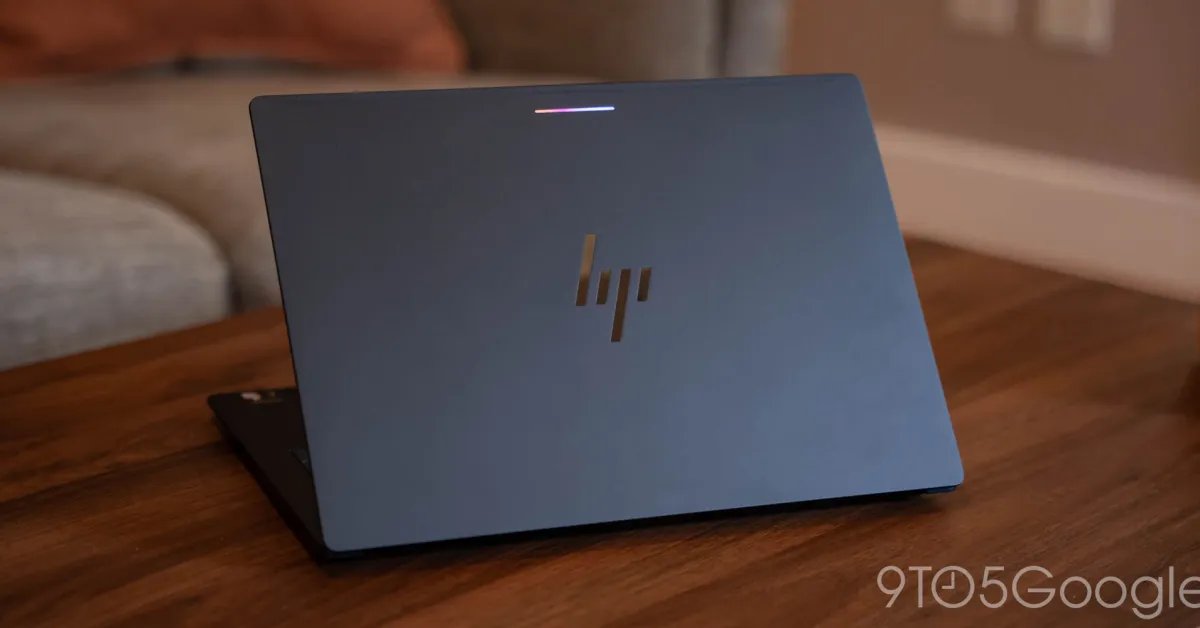
The HP Googlebook 14 features a refined design that prioritizes both aesthetics and practical utility. At a thickness of only 10.9mm and weighing approximately 2.74lbs, the device is portable without feeling fragile. The chassis is constructed from aluminum, providing a rigid, high-quality feel with minimal deck flex.
One of the most notable design decisions is the inclusion of sharp corners on the underside, which serve as functional feet for elevated air circulation. This design element includes a rear gap that doubles as an ergonomic handle for carrying the closed device. While it deviates from the ultra-flat, edge-less aesthetic found on competing devices like the MacBook Air, the HP design offers a tactile, durable experience that serves its purpose well.
Input Experience and Display Quality
HP has successfully addressed the primary human-machine interface components with the Googlebook 14. The keyboard is a highlight, offering significant key travel despite the thin chassis. The typing experience is both comfortable and quiet, making it suitable for professional or public environments. While the keyboard layout aligns with standard Googlebook requirements, some function key iconography—specifically the window fullscreen toggle and the screenshot tool—lacks clarity, which may lead to a learning curve for new users.
The integrated haptic trackpad is responsive and accurate, although it carries a slightly hollow acoustic signature compared to market leaders. The display is a standout feature, utilizing a 14-inch OLED panel that delivers excellent color accuracy and contrast. While the peak brightness could be improved for better visibility in direct outdoor sunlight, the screen quality is more than adequate for typical indoor and office tasks.
Performance and Hardware Efficiency
Powered by the Snapdragon X Elite chipset paired with 16GB of RAM, the device demonstrates impressive speed. Because Googlebook OS is fundamentally built upon an Android-based architecture, the hardware translates to near-instant boot times and smooth performance across standard applications.
Battery life on the device is solid, though it does not yet reach the industry-leading standards set by modern Apple Silicon laptops. However, it remains competitive with current high-end ARM-based Windows machines. One distinct advantage of the platform is the transparency provided by the OS regarding power consumption, with Android-style battery usage statistics that offer granular insight into which processes are consuming the most energy. The included charger is compact and utilizes a standard USB-C interface, allowing for quick, efficient power delivery.
The Software Bottleneck
Despite the high-quality hardware, the primary challenge for the HP Googlebook 14 lies in its operating system. Googlebook attempts to offer a modern foundation, but it struggles to provide the necessary utility for power users. The most significant drawback is the lack of a robust library of desktop-class applications.
The software situation is compounded by a regression in Linux support. On previous iterations of Chrome-based operating systems, Linux compatibility provided a vital bridge for developers and professionals who required traditional desktop software. With the current state of Googlebook, that bridge has been significantly narrowed, and there is a noticeable absence of emulation tools that would allow users to bridge the gap between their mobile and desktop requirements.
Market Positioning and Value Proposition
Google has frequently marketed this platform as a specialized tool for Android enthusiasts. However, this positioning creates a disconnect with the realities of modern computing. A laptop is typically acquired to perform tasks that a mobile device cannot; currently, the capabilities of the Googlebook platform do not significantly exceed those of a high-end smartphone.
At a price point of $1,200, the HP Googlebook 14 finds itself in direct competition with established laptops running mature operating systems. Given the current lack of professional-grade application support and the platform’s early-stage development, it is difficult to justify the price for most users. While HP has done an excellent job building a chassis capable of sustaining this new platform, the value proposition for the consumer remains low. Until the software ecosystem matures—or the platform expands to more affordable hardware—the Googlebook 14 remains a high-end device that offers limited functionality relative to its cost.
Disclaimer: This content is auto-generated for informational purposes only.
Source: Read Original News