










The Evolution of Windows Upscaling Technology
Microsoft has officially launched its Automatic Super Resolution (Auto SR) technology, signaling a significant shift in how Windows-based handhelds and Copilot Plus PCs handle graphical rendering. By leveraging machine learning models integrated directly into the operating system, Auto SR aims to enhance frame rates and visual fidelity without requiring individual game developers to implement proprietary upscaling solutions. This move positions Microsoft as a direct competitor to established industry standards like Nvidia’s Deep Learning Super Sampling (DLSS) and AMD’s FidelityFX Super Resolution (FSR).
The technology functions by rendering a game at a lower resolution to reduce the computational load on the graphics processor and then using a neural processing unit (NPU) to upscale the output to the display’s native resolution. This process maintains high performance while preserving visual details that would otherwise be lost during standard lower-resolution rendering. As Windows gaming devices become increasingly popular, this system-level integration provides a standardized experience across diverse hardware configurations.
Expanding Capabilities for Handheld Hardware
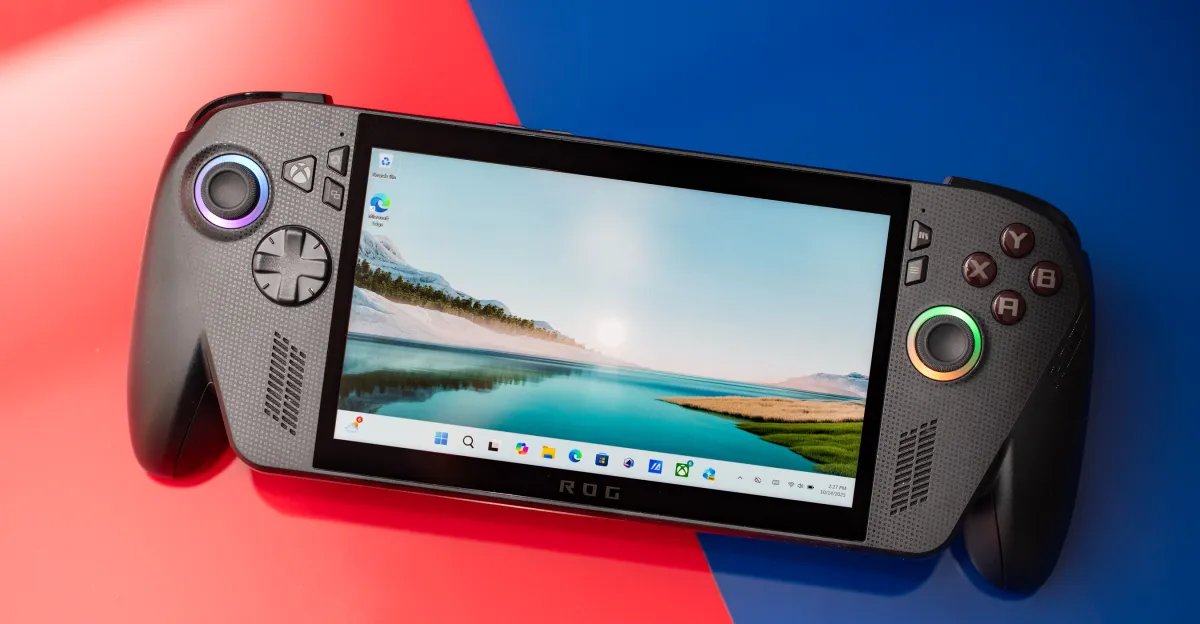
The initial testing phase for Auto SR was confined to specific scenarios, notably requiring devices like the Asus ROG Ally X to be docked to function. With the official rollout, Microsoft has lifted these constraints, enabling the technology to operate while devices are running on battery power in a handheld form factor. This is a critical development for mobile gaming, where power efficiency and frame rate consistency are often at odds.
By enabling Auto SR in handheld mode, users can achieve smoother gameplay in demanding titles without sacrificing the portability that defines the platform. Microsoft has acknowledged that running the technology at 1080p in handheld mode may present variable performance depending on the title, but the gains in visual quality are expected to be particularly noticeable in legacy games. These older titles, which were not designed with modern high-resolution displays in mind, benefit significantly from the intelligent reconstruction algorithms provided by Auto SR.
Introduction of the Performance Mode
A primary highlight of the official release is the introduction of a dedicated Performance mode. Previously, Auto SR was constrained to a target range of 60 to 75 frames per second, which, while sufficient for many players, fell short of the high-refresh-rate standards required by competitive gaming. The new Performance mode allows for frame rates reaching up to 120fps, effectively doubling the responsiveness of supported games.
This expansion makes Auto SR a viable solution for gamers who utilize high-refresh-rate panels on their handhelds or Copilot Plus PCs. By prioritizing throughput over maximum image quality refinement, the Performance mode ensures that the NPU can keep pace with the demands of fast-moving action titles. This transition represents a shift from purely visual enhancement to a balanced approach that serves both graphical clarity and the need for fluid motion.
Synergy with Auto HDR
In addition to resolution upscaling, Microsoft is introducing compatibility between Auto SR and Auto HDR. This pairing is designed to provide a comprehensive visual upgrade for games that were originally developed for Standard Dynamic Range (SDR). While Auto SR addresses the pixel density and sharpness of the image, Auto HDR dynamically expands the color gamut and contrast ratio, simulating high-dynamic-range lighting effects that add depth to the digital environment.
When these two technologies function in tandem, they create a modernized visual profile for older software titles. The integration is handled entirely at the OS level, meaning users do not need to alter game settings or download external patches. This seamless combination allows users to experience classic games with modern brightness, color accuracy, and sharpness, breathing new life into catalogs that previously lacked support for current display technologies.
Impact on the Windows Gaming Ecosystem
The deployment of Auto SR on select Windows Copilot Plus PCs and handheld devices marks a strategic push to unify the PC gaming experience. Unlike proprietary solutions that are often tied to specific graphics card manufacturers, Microsoft’s approach utilizes the NPU—a component now standard in modern AI-focused processors—to handle the heavy lifting. This ensures that the technology can scale across a wider variety of hardware, provided the device meets the necessary processing requirements.
For the developer community, this creates a more predictable environment. Since the upscaling is managed by the Windows subsystem, game developers can focus on core gameplay mechanics and art direction rather than worrying about integrating multiple upscaling vendors. For the consumer, it provides a consistent set of features that can be toggled on or off, granting greater control over the balance between thermal output, battery life, and graphical fidelity. As the ecosystem matures, the adoption of OS-level upscaling is likely to become a standard expectation for any portable Windows device, further bridging the performance gap between handheld hardware and traditional desktop gaming rigs.
Disclaimer: This content is auto-generated for informational purposes only.
Source: Read Original News