








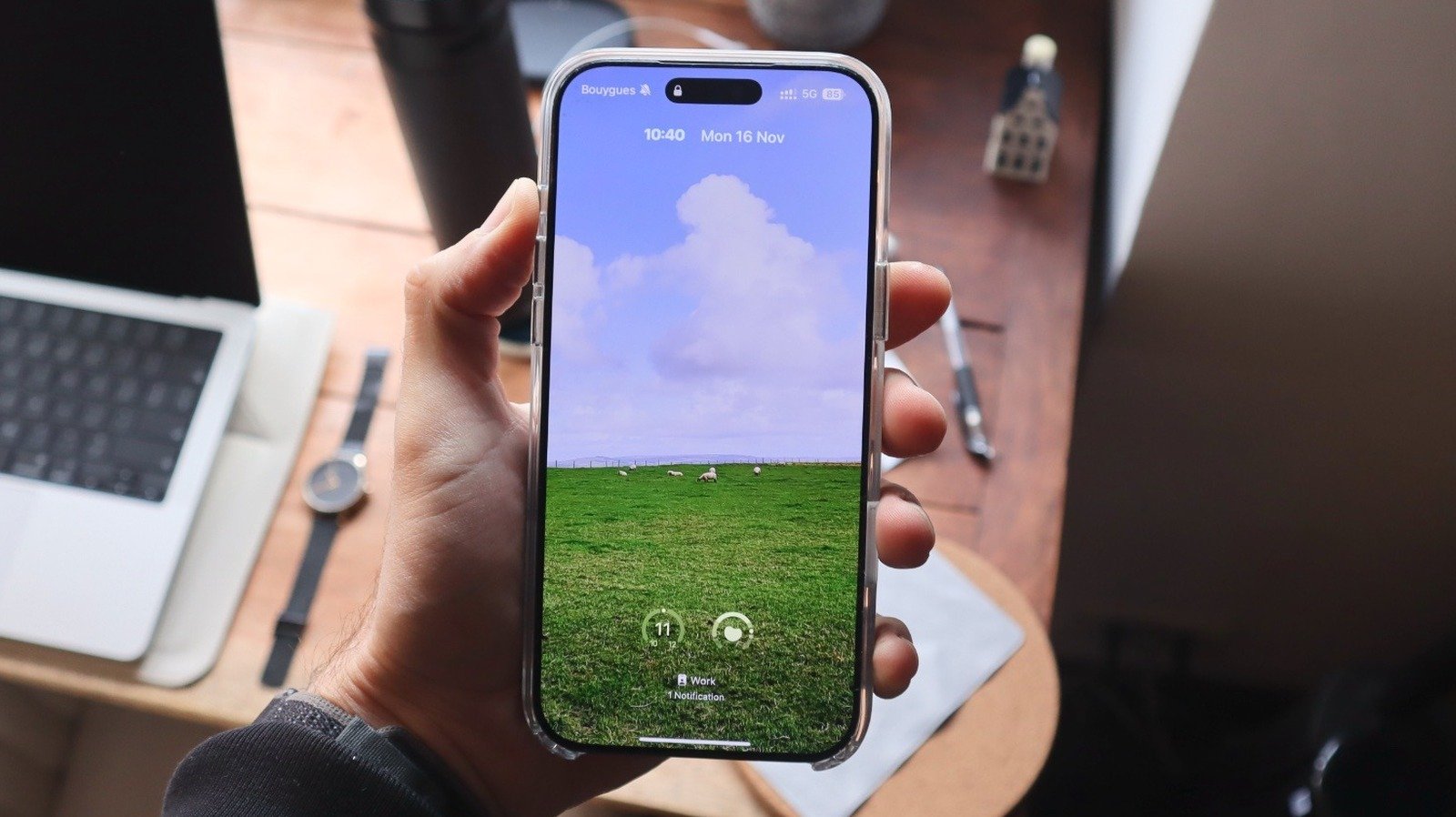
The evolution of the iPhone Lock Screen has transitioned from a static functional barrier into a highly personalized command center. Since the initial introduction of custom wallpapers, Apple has incrementally layered features, culminating in the sophisticated capabilities found in the latest iOS 27. With the integration of Apple Intelligence and the new Siri AI, the interface now offers deeper levels of granular control, allowing users to move beyond simple aesthetic changes toward a truly bespoke mobile experience.
The Mechanics of Wallpaper Extension and AI Integration
A standout feature in iOS 27 is the ability to intelligently extend wallpapers, addressing the common issue of improperly cropped or zoomed images. When setting up a new Lock Screen, users can zoom out on their selected photo beyond its native resolution. Utilizing on-device processing via the new Siri AI, the iPhone generates supplemental visual data to fill in the gaps, effectively extending the edges of the image to fit the vertical orientation of the display. This capability ensures that high-quality photographs, even those originally captured in landscape, can be utilized without sacrificing the subject’s framing.
Beyond the wallpaper itself, users can now optimize the utility of the Lock Screen. For devices equipped with an Action Button or Camera Control, the traditional persistent shortcuts for the Flashlight and Camera may feel redundant. Users can now replace these with a variety of custom shortcuts, pulling from both native Apple utilities and third-party applications. This transformation turns the Lock Screen into a functional dashboard tailored to specific daily workflows rather than a generic utility screen.
Refining the Clock and Minimalist Interfaces
Apple has also shifted the aesthetic trajectory for the clock display. While earlier updates focused on expanding the prominence and typography of the time, the current software allows for a significant reduction in visual weight. By selecting the clock during the editing process, users can access font settings that include a button to shrink the interface.
This action condenses the clock into a minimal form, aligning it with the date and creating a streamlined look. This design choice is ideal for those who prefer an unobtrusive display that keeps the focus on the wallpaper or widgets. Furthermore, for those aiming for absolute minimalism, iOS 27 now permits the removal of the “Now Playing” card. While music or podcasts continue to operate in the background, the removal of the media interface provides a cleaner visual profile, effectively decluttering the screen without losing functionality.
Leveraging Focus Modes for Contextual Automation
Focus Modes remain one of the most powerful, yet underutilized, features within the iOS ecosystem. By linking specific Lock Screens to designated Focus profiles, users can automate their digital environment based on time, location, or activity. For instance, a “Work” Focus can be configured to display a professional, data-heavy Lock Screen with calendar and task management widgets, while also silencing non-essential notifications. Conversely, a “Personal” or “Commute” profile can trigger a completely different aesthetic, paired with a restricted set of allowed alerts.
Because the system recognizes geographical data and activity patterns—such as beginning a gaming session or entering a transit-dense zone—the transition between these modes can be entirely seamless. Managing these settings through the Control Center’s Focus tab allows for the creation of distinct “digital zones.” By establishing unique filters for each, users can significantly reduce notification fatigue and ensure that their Lock Screen remains relevant to the immediate task at hand.
Generative AI and Creative Customization
The integration of Image Playground into the Lock Screen configuration process marks a significant shift in how users procure their backgrounds. Rather than relying solely on the device’s photo library or static wallpapers provided by Apple, users can now utilize generative AI to create custom imagery. By invoking the Image Playground interface during the setup process, users can describe a specific visual concept.
The AI interprets these prompts to render unique imagery tailored to the user’s preferences, offering styles that range from abstract textures to hyper-realistic illustrations. Whether based on existing Memoji, specific design prompts, or personal photographic style, these AI-generated wallpapers ensure that the device’s aesthetic is unique to the owner.
The Impact of Cumulative Updates
The progression from the initial widget support in iOS 16 to the current, more fluid environment of iOS 27 demonstrates a clear commitment to user-led design. The introduction of the Liquid Glass visual language in iOS 26 established a foundation for depth and fluidity, which is now being pushed further by the computational capabilities of current hardware. Features such as multi-activity tracking within the Dynamic Island and animated Apple Music album covers demonstrate that the Lock Screen is no longer a static image, but an active, responsive interface. By synthesizing AI-driven image generation, deep hardware integration, and intelligent automation through Focus Modes, users possess the ability to curate their devices to function as personalized, highly efficient computing tools that adapt to their specific needs throughout the day.
Disclaimer: This content is auto-generated for informational purposes only.
Source: Read Original News