







A New Paradigm for Wearable Navigation
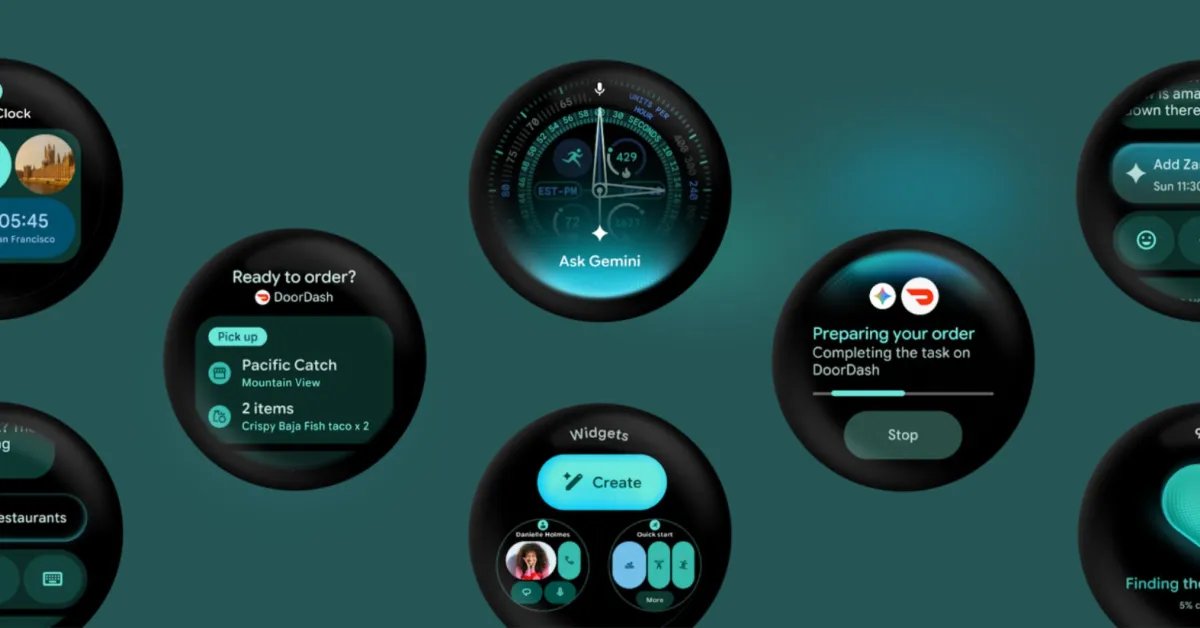
Google has recently initiated a shift in the interface design of its wearable operating system. Through the release of a specialized canary emulator in Android Studio, the company has unveiled plans for a persistent system status bar within Wear OS. This feature, which occupies the top section of the circular display, is designed to bring a level of uniformity to the smartwatch experience that has historically been lacking. By mimicking the status bar architecture found on Android smartphones and tablets, Google aims to provide users with immediate access to essential information, regardless of which application is currently active.
The status bar is engineered to house the current time and various system status indicators. This implementation introduces standardized clock typography and a dedicated backplate, ensuring that the visual language remains consistent across the platform. By moving these elements from individual application layouts into a centralized system-level component, Google is simplifying the cognitive load on the user while establishing a cleaner, more predictable interface.
Technical Integration and Jetpack Compose
For developers, this change represents a significant update to how they manage screen real estate. The integration is primarily handled through updates to Jetpack Compose for Wear OS, specifically starting with version 1.8.0-alpha02. When an application targets API level 35 or higher, the system leverages the AppScaffold and ScreenScaffold components to automatically handle the presence of the status bar.
This automatic coordination is a critical aspect of the update. For instance, the AppScaffold automatically suppresses the internal TimeText clock component within an application to prevent redundancy, ensuring only the system-level clock is visible. Meanwhile, the ScreenScaffold is designed to be context-aware; it applies the necessary padding to ensure content does not overlap with the status bar window insets. Furthermore, the system is intelligent enough to hide the bar while a user is actively scrolling through list-based content, only to have it reappear after a brief period of user inactivity. This ensures that navigation density remains prioritized during active interaction while preserving glanceability when the device is idle.
Balancing Immersive Experiences and System Utility
While the introduction of a persistent status bar is intended to improve navigation, Google has also accounted for scenarios where screen space is at a premium. Full-screen interactive components, such as date and time pickers, alert dialogs, and steppers, are programmed to automatically trigger a hidden state for the status bar. This allows these specific interfaces to occupy the entire display, ensuring that complex tasks are not impeded by system overlays.
For developers creating custom interfaces that require an entirely immersive experience—such as gaming or specialized visualization tools—the platform provides the StatusBarSuppression utility. This allows for manual control over the status bar, ensuring that the design integrity of the application is maintained without forcing the system indicators upon the user. This dual-approach—defaulting to system-wide consistency while providing explicit opt-out mechanisms—reflects a refined strategy for managing the constraints of small-screen user interfaces.
Developmental Roadmap and Future Releases
The current implementation is available via a Wear OS 7.1 canary emulator (API level 37.2-beta1, based on Android 17). It is important to note that this feature is currently in a developmental phase. Google has explicitly stated that the system status bar is included in the canary emulator for the purpose of gathering feedback from the developer community and is not yet slated for the upcoming stable release of Wear OS 7.1.
This staged rollout allows for a rigorous testing cycle, ensuring that the transition to a persistent status bar does not negatively impact existing application layouts or performance. By providing these tools well in advance, Google is signaling a transition toward a more tightly controlled and standardized UI, which will likely become a cornerstone of future Wear OS updates. As the development continues, the placeholder star icon currently used in the emulator will be replaced with finalized system indicators, paving the way for a more cohesive and professional look across the entire Wear OS ecosystem.
Impact on the Wearable Ecosystem
The impact of this update extends beyond mere aesthetics. By standardizing the display of time and system metrics, Google is creating a more intuitive navigation structure. Users will no longer need to exit an application or swipe to reach a home screen just to check for system notifications or confirm the time. This change aligns with the primary goal of a wearable device: to deliver critical information at a glance with minimal friction.
Furthermore, by automating the handling of this bar through Jetpack Compose, Google is reducing the amount of manual boilerplate code developers must write for their applications. This decrease in development complexity, coupled with the increase in user-interface predictability, is likely to result in a higher quality of applications in the Play Store. As the platform matures, the inclusion of this system-level component confirms that Wear OS is moving toward a more mature and robust state, capable of supporting complex user needs while maintaining the simplicity required for a wrist-worn device.
Disclaimer: This content is auto-generated for informational purposes only.
Source: Read Original News