







The landscape of web browsing is undergoing a significant shift. For years, the Arc browser stood as a beacon of modern interface design, introducing concepts that fundamentally altered how users manage tabs, organize workspaces, and navigate the internet. However, with Atlassian’s acquisition of the Browser Company and the subsequent pivot toward Dia—an AI-centric successor—the original Arc browser is approaching the end of its life. For users who appreciated the unique workflow Arc provided but remain hesitant about an AI-heavy future, the Zen Browser has emerged as a robust, open-source alternative.
A Familiar Interface Without the Bloat
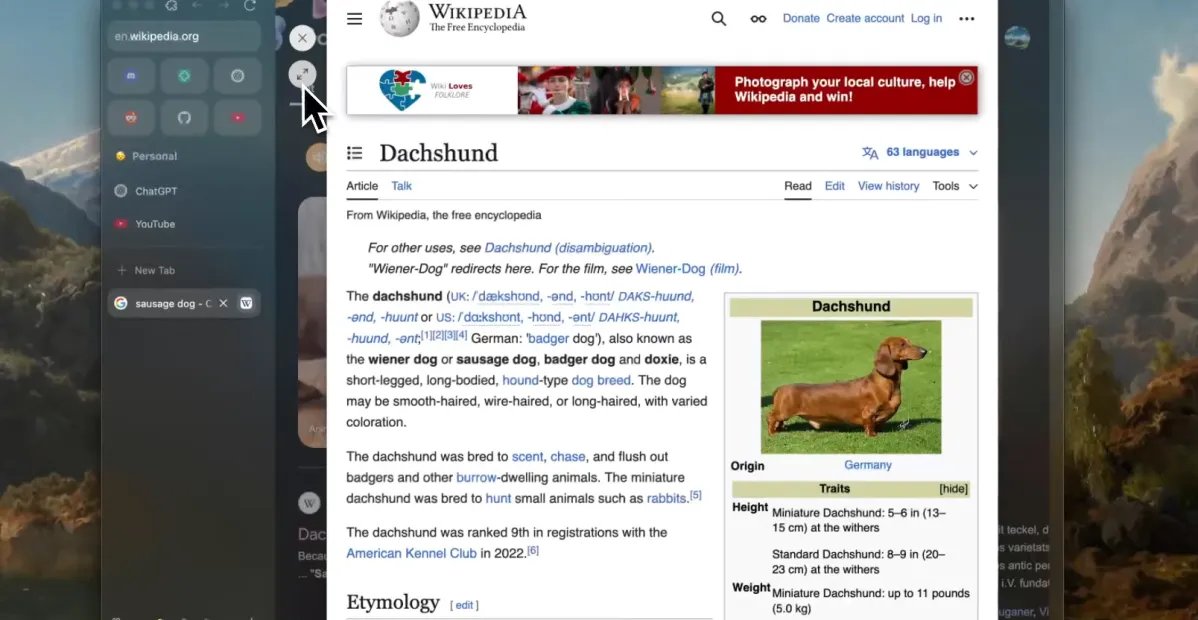
At first glance, Zen Browser feels remarkably similar to its predecessor. The developers behind Zen have successfully ported the organizational paradigms that made Arc famous: the vertical sidebar, the concept of “siloed” spaces for different contexts, and a launcher-style navigation system. The visual language is clean and minimalist, prioritizing the content of the webpage over the browser’s own chrome.
Where Zen distinguishes itself is in its philosophy regarding feature sets. Arc eventually became criticized for its increasing weight and the integration of intrusive AI features that many users found unnecessary. Zen, by contrast, focuses on a lightweight execution of those same organizational principles. By stripping away the bloat, the software remains responsive and streamlined, providing the structural benefits of a modern browser without the performance overhead that often accompanied later versions of Arc.
Prioritizing Privacy Over Data Harvesting
A major point of contention for users of many modern browsers is the monetization of user data. With Arc, there was often a sense that user activity was closely tethered to the company’s broader business strategy. Zen adopts an entirely different approach, positioning itself as a privacy-focused project.
As a free and open-source project supported by volunteers and community donations, Zen is not incentivized to track user behavior for profit. The absence of an AI agent in the sidebar is a deliberate architectural choice; there is no secondary model processing the user’s browsing history to suggest tasks or summarize content. For users concerned about the security of their data and the implications of browser-integrated large language models, this transition to an AI-free environment provides a significant level of reassurance.
Extensibility and Customization
One of the strengths of Zen is its handling of browser extensions. While Arc allowed the use of Chrome extensions, Zen offers a more native-feeling experience with Firefox extensions. Because Zen is built on the Firefox engine, it provides a degree of stability and compatibility that users may find more predictable. Even when extensions are not perfectly optimized for the unique UI, Zen provides a suite of workarounds and configuration tweaks to bridge the gap.
Furthermore, the introduction of “Zen Mods” allows for deep customization. These mods enable users to fundamentally change the browser’s aesthetic or modify specific behaviors, such as how picture-in-picture windows are handled or how active tabs are highlighted. While there is not yet a centralized, high-traffic repository for these modifications comparable to some other browser stores, the DIY nature of the system is a boon for power users who want total control over their browsing environment.
The Compromise: Known Limitations
Despite its strengths, Zen is not a perfect drop-in replacement for users who rely on high-end media consumption features. The primary hurdle currently is the lack of support for digital rights management (DRM) protected content. Popular streaming services, including Netflix, Disney+, and Spotify, currently do not function within the browser because it lacks the necessary Widevine license.
For the average user, this necessitates a hybrid workflow, where one might use Zen for productivity, research, and general browsing, while keeping a secondary browser like Chrome or Firefox available for media consumption. Additionally, users who rely heavily on Web MIDI support for music production or creative web applications may find that the underlying Firefox engine lacks the comprehensive support they require, again requiring reliance on Chromium-based alternatives.
Looking Ahead: A Mature Alternative
The development trajectory of Zen has been impressive. Early builds were plagued by instability and bugs that led to a mixed initial reputation. However, recent versions have reached a level of maturity that makes them viable for daily use. The “glance” view feature—which allows users to open temporary pop-over tabs for quick research—demonstrates a commitment to a fluid and efficient user experience.
While those who are deeply invested in the AI features of the upcoming Dia browser may find Zen too traditional, it serves as an ideal refuge for those who preferred the original spirit of modern browser design. It offers the organizational tools that improve digital efficiency while maintaining a clean, privacy-oriented, and user-centric architecture. For those still mourning the loss of their primary productivity tool, Zen offers a stable, familiar, and highly customizable path forward.
Disclaimer: This content is auto-generated for informational purposes only.
Source: Read Original News