









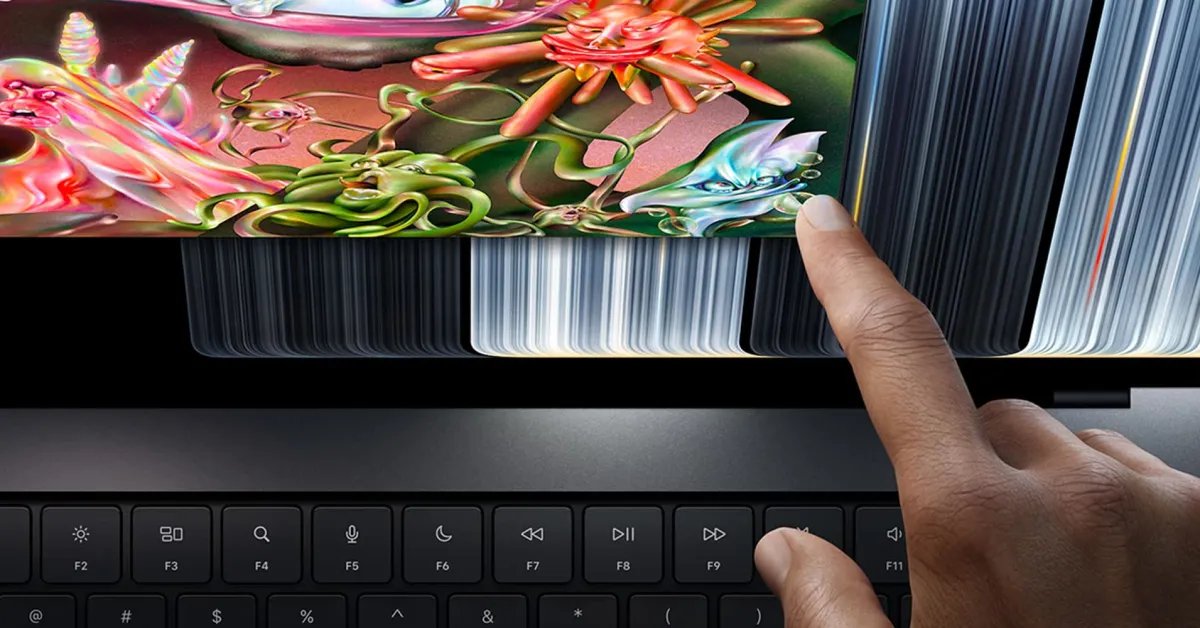
The introduction of the MacBook Pro featuring the PROLED XDR display marks a significant shift in Apple’s hardware philosophy. For years, the company maintained a strict separation between its macOS desktop environment and the touch-centric interfaces of the iPad and iPhone. With the release of macOS 27 Golden Gate and this new hardware, that boundary has effectively dissolved. The PROLED XDR technology provides not only superior brightness and color accuracy but also the foundational hardware responsiveness required for high-precision touch interaction.
Adaptive Interface Adjustments
The integration of touch on a traditional laptop form factor requires careful consideration of UI elements that were originally designed for the precise movement of a cursor. Apple has implemented several adaptive changes in macOS 27 to ensure that touch interactions remain accurate. One of the most immediate visual updates involves the window management controls, commonly known as traffic light icons.
When a user initiates a touch interaction near the top left of an active window, these icons dynamically increase in size. This subtle expansion creates a larger target area, compensating for the lack of granular control inherent in human finger input compared to a trackpad pointer. This ensures that closing, minimizing, or expanding windows remains a reliable process even when using a touchscreen display. This logic extends to the menu bar as well, where spacing between items is automatically adjusted to prevent accidental inputs, providing a cleaner, more finger-friendly layout without requiring a permanent sacrifice in screen density.
System-Level Gestural Support
One of the most powerful features of the new MacBook Pro is the translation of familiar trackpad gestures directly to the screen surface. Users can now utilize three-finger swipes to invoke Mission Control or navigate between full-screen spaces by dragging their fingers across the display. This capability makes the device feel like an extension of the current iOS environment, allowing users to scroll through long web pages or pinch to zoom into high-resolution images with the same fluidity expected on a tablet.
Furthermore, Apple has integrated Spotlight access through the Dynamic Island. By tapping or dragging from the top center of the display, users can trigger the system search function. This mimics the navigational patterns found in modern iOS, ensuring that long-time Apple users find the transition to a touchscreen Mac intuitive and efficient.
Revolutionizing the Developer Workflow
Perhaps the most significant professional impact of this update is the transformation of the iOS simulator for app developers. Historically, developers were forced to map touch-based gestures to a mouse or trackpad, which often obscured the true behavior of an application during the testing phase. With the touch-enabled PROLED XDR display, developers can now interact with their simulated applications directly.
This change allows for the verification of tap targets, swipe sensitivity, and multi-touch interactions in a way that matches the final deployment environment of the iPhone or iPad. By removing the abstraction layer of the trackpad, Apple has provided developers with a more honest look at their software, likely leading to better optimization and fewer UI-related bugs in apps designed for touch-first platforms.
The Future of macOS Interaction
The rollout of these features in macOS 27 Golden Gate is framed as an initial step. Apple has signaled that this is the beginning of a broader initiative to unify the touch and desktop computing experiences. While current optimizations focus on system navigation and developer utility, the implications for professional creative software are substantial.
Applications involving graphic design, video editing, or digital illustration could see a major paradigm shift as developers begin to integrate native touch support into their creative suites. The ability to manipulate timelines or adjust brush strokes directly on a PROLED XDR screen provides a directness that a trackpad simply cannot replicate.
As the hardware ecosystem matures, these features are expected to extend beyond the high-end MacBook Pro line, eventually influencing the design language across the entire Mac catalog. The shift toward touch is not merely an addition of a input method; it is a fundamental update to the ergonomics and interactivity of the macOS ecosystem. With the next Worldwide Developers Conference (WWDC) on the horizon, users should expect deeper integration and more robust APIs that will allow third-party applications to fully leverage the potential of the touchscreen Mac. The transition marks a transition in computing where the barrier between creation and interaction is lowered, setting a new expectation for high-performance laptops.
Disclaimer: This content is auto-generated for informational purposes only.
Source: Read Original News