






Every Laravel developer has a debugging routine. Drop a dd(), refresh the page, read the output, remove it, repeat. When that’s not enough, open Tinker and lose context after a typo. We’ve learned to live with this. But it doesn’t have to be this way.
I built DDLess to give PHP developers a complete workbench. It works without any extension and without configuration, and it runs the same whether you’re on Local, Docker, WSL, or SSH. Here’s what it brings to your environment.
Step debugging in seconds
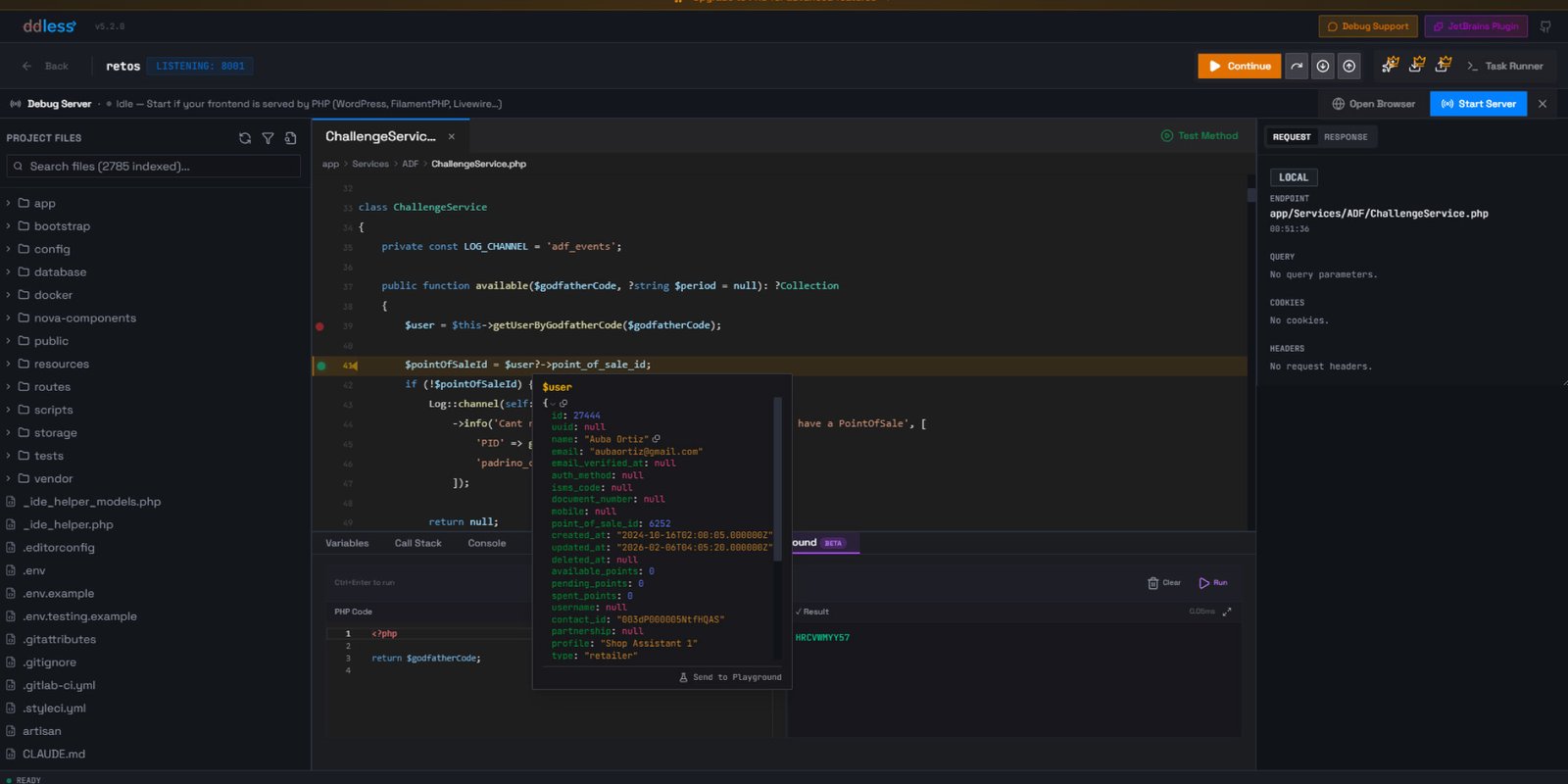
Set a breakpoint by clicking a line, send a request, and DDLess pauses right there. Variables, call stack, step in, step out, step over. Everything you expect from a debugger, with none of the setup.
DDLess instruments your code at runtime using AST parsing (via nikic/PHP-Parser) and communicates through files instead of sockets. That’s why it works everywhere, regardless of your environment or your IDE version. For Laravel, it auto-bootstraps your application, so you point it at your project and start debugging immediately.
A Playground that runs inside your breakpoint
This is the feature developers tell me they didn’t know they needed. When execution is paused at a breakpoint, you can open the Playground and run arbitrary PHP code with every variable still in scope. Inspect a model, test a different code path, modify a value, and continue execution with the new state.
It’s like having an interactive console frozen at the exact moment your code is running, with full access to everything in that context.
An interactive terminal with step debugging
The Task Runner boots your entire Laravel application and gives you an interactive environment where everything is available. Models, services, helpers, database connections, all live and ready.
Write PHP and run it with real-time output. Export data to CSV with pagination and a progress bar, no artisan command required. Test how a service behaves with specific data using real dependency injection and a real database. Render charts, interactive fields, and formatted tables directly in the output.
And you can set breakpoints inside the Task Runner itself. Write a script, set a breakpoint, and step through it line by line. An interactive terminal and a step debugger in the same place.
Test any method without running the full application
Pick any class, choose a method, and DDLess auto-scaffolds the parameters for you. Set breakpoints inside the method and debug it directly. No routes, no requests, no test files. Just select and run.
Built for the PHP community
DDLess was recently featured in PHP Reads Issue #6 by Stefan Priebsch and Sebastian Bergmann from the PHP Foundation, who described it as “a good example of how alternative technical approaches can lead to new solutions.”
The debug engine is open source, so you can read every line of how it works.
Try it today
DDLess is free for local debugging. The desktop app gives you step debugging, the Task Runner, Method Execution, and the Playground at no cost. A Pro plan adds conditional breakpoints, SSH debugging, and a PHPStorm plugin.
Download it and set your first breakpoint in seconds: