







The Final Piece of the Privacy Puzzle: Encrypted Client Hello Explained
The arrival of HTTPS fundamentally transformed the internet, turning a wild, vulnerable frontier into a significantly more secure space. While browsers and search giants pushed for universal encryption, there remained a persistent blind spot: even on an encrypted connection, your Internet Service Provider (ISP) could still track exactly which websites you were visiting.
Today, a new standard known as Encrypted Client Hello (ECH) is closing that final gap. By building privacy directly into your browser, ECH prevents your ISP from snooping on your domain-level browsing history without the need for a VPN or third-party security software.
The “Plaintext” Problem
To understand why ECH is a breakthrough, we have to look at how your device “shakes hands” with a website. When you connect to a server, your browser performs a TLS handshake to initiate encryption.
The first step of this handshake involves a “ClientHello” message, which includes a Server Name Indication (SNI) field. Because the server needs to know which security certificate to present before the connection can be fully encrypted, this SNI field has historically been sent in plaintext.
For years, this has been an open window for ISPs. A 2021 Federal Trade Commission (FTC) report highlighted that major ISPs were actively monitoring this unencrypted domain-level traffic to build detailed advertising profiles—tracking everything from a user’s location and political leanings to their personal demographics.
How ECH Outsmarts the Sniffers
Finalized in March 2026 under RFC 9849, Encrypted Client Hello solves this by essentially using a decoy. Instead of sending one exposed handshake, your browser now generates two:
- The Inner Hello: This contains the real destination, which is encrypted using the server’s public key.
- The Outer Hello (The Decoy): This is sent in the clear, but it lists a generic, placeholder domain rather than the site you are actually trying to reach.
When the server receives these, it uses its secret key to unlock the “Inner” message. If the server supports ECH, the connection proceeds normally. If not, it falls back to the decoy, ensuring your browsing experience remains seamless. To any observer, including your ISP, it appears you are simply connecting to the hosting provider’s main domain, effectively masking your true destination.
You Are Likely Already Protected
One of the most user-friendly aspects of ECH is that it operates silently in the background. There is no complicated toggle to hunt for in your settings.
Most major browsers, including Chrome (since version 117) and Firefox (since version 118), have supported this technology since late 2023. With Android 17 integrating system-wide ECH support as of August 2026, the protection is becoming standard for mobile users as well.
How to Verify ECH
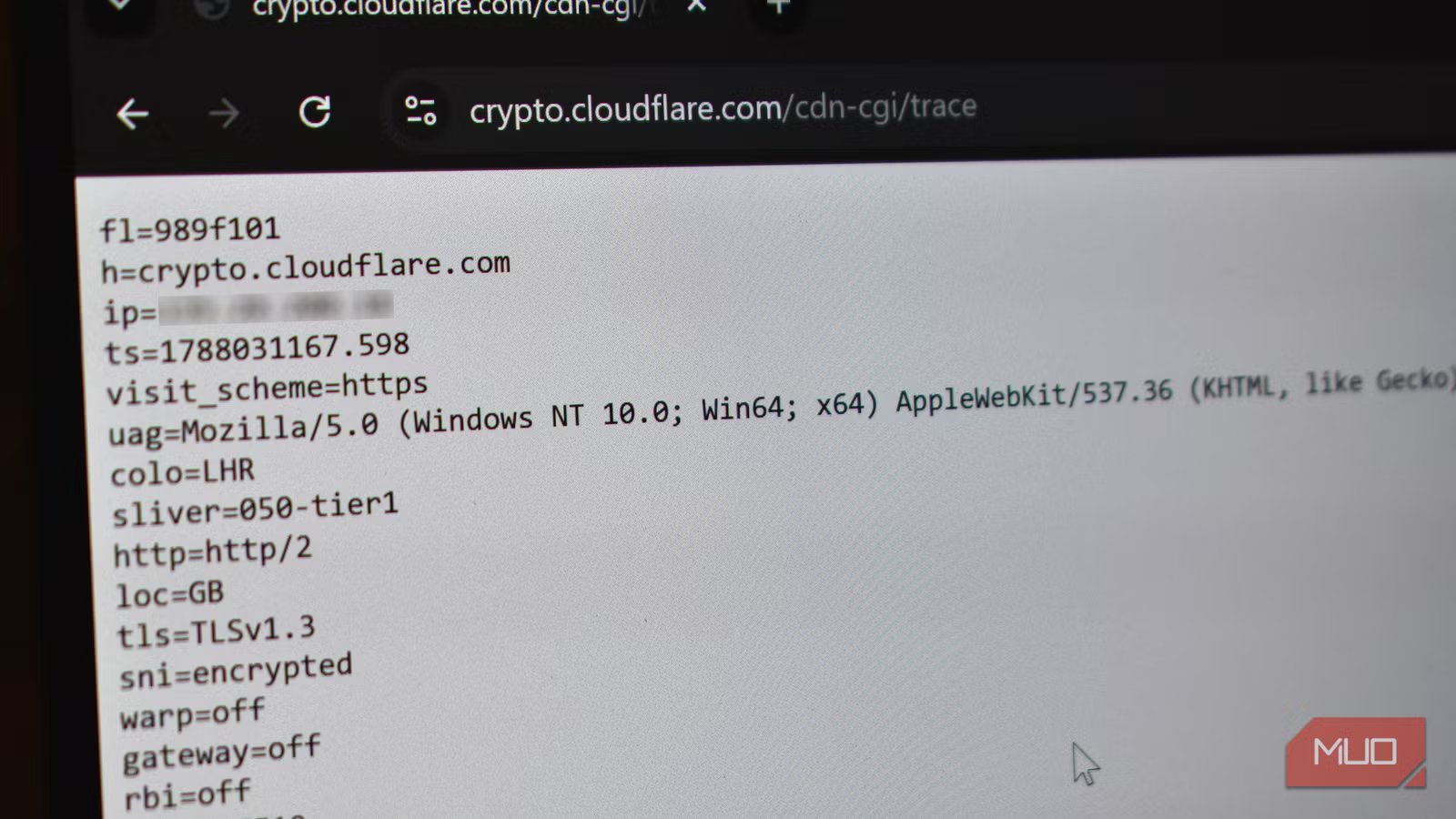
While you don’t need to configure anything, you can verify if your connection is being protected. You can visit Cloudflare’s diagnostic page and check the sni= line in the text output. If it reads encrypted, your ECH connection is working as intended.
The Bigger Picture
It is important to remember that ECH is one layer of a broader strategy. While it hides the domain you are visiting, your DNS lookups can still remain visible unless you enable DNS-over-HTTPS (DoH). Privacy is rarely a single “on” switch; it is a layered effort. However, with the widespread adoption of ECH, the “leaky” nature of the early web is finally being patched, leaving your ISP with significantly less data to collect.