








Android 17 QPR2: A Strategic Shift in Mobile Software Distribution
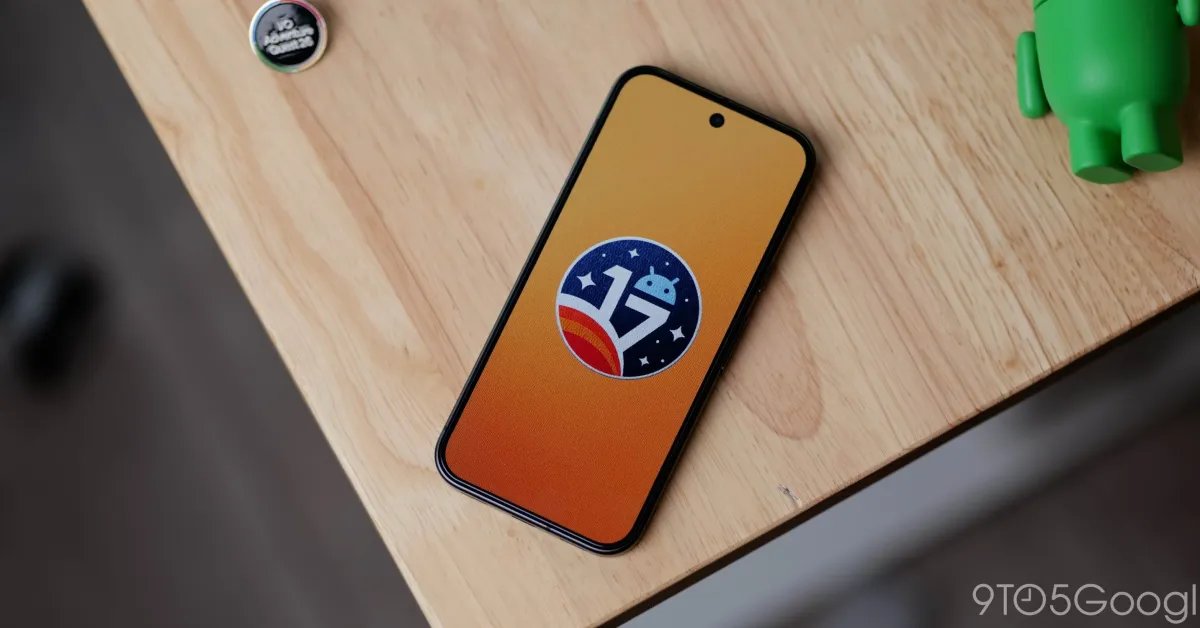
Google has officially initiated the rollout of Android 17 QPR2, marking a notable departure from its established quarterly release schedule. By arriving a full month ahead of the traditional window, this update signals an accelerated pace for feature deployment on Google Pixel hardware. The update is extensive, encompassing a wide range of devices from the legacy Pixel 6a all the way up to the latest Pixel 11 series, ensuring that a significant portion of the active user base receives the latest refinements and system enhancements simultaneously.
This release functions as both a maintenance patch and a platform for new feature integration. For users currently enrolled in the Android 17 QPR2 Beta program, the transition to the stable build is seamless, allowing those who wish to exit the testing cycle to do so without requiring a factory reset. This approach reflects Google’s focus on stability while maintaining an active testing pipeline for future iterations.
Enhanced Visual Customization and User Interface Refinements
The latest update introduces meaningful changes to how users interact with their device homescreens and system styling. The homescreen long-press menu has been overhauled to prioritize the app carousel, improving navigational speed. Furthermore, the “Wallpaper & style” settings now feature a more granular approach to color management.
Previously limited to a rigid set of preset palettes, the system now provides a dedicated paint palette icon. This introduces a “Select a color” slider, granting users precise control over the main accent color across the interface. This flexibility is complemented by a new theme selection menu, which allows for distinct aesthetics categorized as Neutral, Soft, Bright, and Bold. These categories allow for systemic changes to the color contrast and saturation levels of the Material You implementation, providing a deeper layer of personalization than previous iterations of the Android operating system.
Expanding HiLight Functionality and Notification Intelligence
A primary highlight of this update is the expansion of the HiLight feature, specifically for the Pixel 11 Pro line. HiLight, which originally debuted to provide visual cues for incoming calls and Gemini status, now extends its utility to Google Messages. When favorite contacts send a message, the device will respond with a specific blinking pattern—a visual notification that helps users stay informed without needing to unlock their display.
This feature is highly customizable. Through the dedicated settings menu, users can now toggle HiLight alerts for specific communication types within the Google Contacts app. By separating controls for phone calls and text messages, Google is moving toward a more granular notification management system. Additionally, the new “Notification intelligence” suite within the Settings application consolidates previously fragmented tools, including Notification summaries, the Notification organizer, and Notification cooldown settings, into a single, cohesive hub for managing incoming data streams.
Systemic Updates and Battery Management
Beyond visual and notification-focused changes, Android 17 QPR2 introduces substantial updates to system monitoring and hardware-level reporting. A new outline around the battery icon in the Quick Settings panel provides an immediate, high-contrast visual indicator when the device is either charging or operating in Battery Saver mode. The integration of battery and charging controls into a unified menu, consistent with the architecture of the Pixel 11, streamlines the user experience for those managing device power consumption.
Advanced users will also benefit from new Status bar customization options. The settings menu now allows for precise control over which notification and system icons occupy the top of the display. Users can choose to hide or display icons for muted status, vibrate status, and battery percentage, effectively decluttering the interface according to personal preference. Furthermore, the introduction of a Private Compute Core log within the Privacy dashboard offers transparency regarding how on-device processing handles tasks like Live Translate and spam detection, ensuring that security-conscious users can verify data usage patterns within an isolated, secure environment.
Optimizing the Quick Settings Experience
The Quick Settings menu continues to evolve with the inclusion of new tiles specifically designed for media and broadcast management. The addition of tiles for Audio streams and Voice broadcast provides a shortcut for users who frequently manage multi-source audio environments or smart home broadcast features. While an anticipated feature to manually reorganize the brightness slider and media player positions did not make it into this specific build, the current additions provide a more robust set of toggles for power users.
These changes, combined with the new “Agents” dashboard in the privacy settings, represent a shift toward centralized control over autonomous system processes. By providing a clear interface for managing these background agents, Google is effectively demystifying how AI-driven services, such as smart replies and spam detection, interact with user data. As the Pixel ecosystem grows, these administrative tools become essential for maintaining both performance and user trust. The QPR2 release stands as a significant milestone, setting the stage for subsequent feature drops in the coming year.
Disclaimer: This content is auto-generated for informational purposes only.
Source: Read Original News