







Google Rolls Out Major Android Update Focused on Accessibility, AI, and Personalization
On Tuesday, Google announced a sweeping update for the Android ecosystem, introducing five key features designed to make mobile devices more intuitive, accessible, and personalized. The rollout, detailed in a recent blog post, highlights a strategic push to integrate Gemini’s artificial intelligence capabilities directly into daily tasks, while simultaneously addressing user comfort and connectivity.
Tackling Motion Sickness with “Motion Assist”
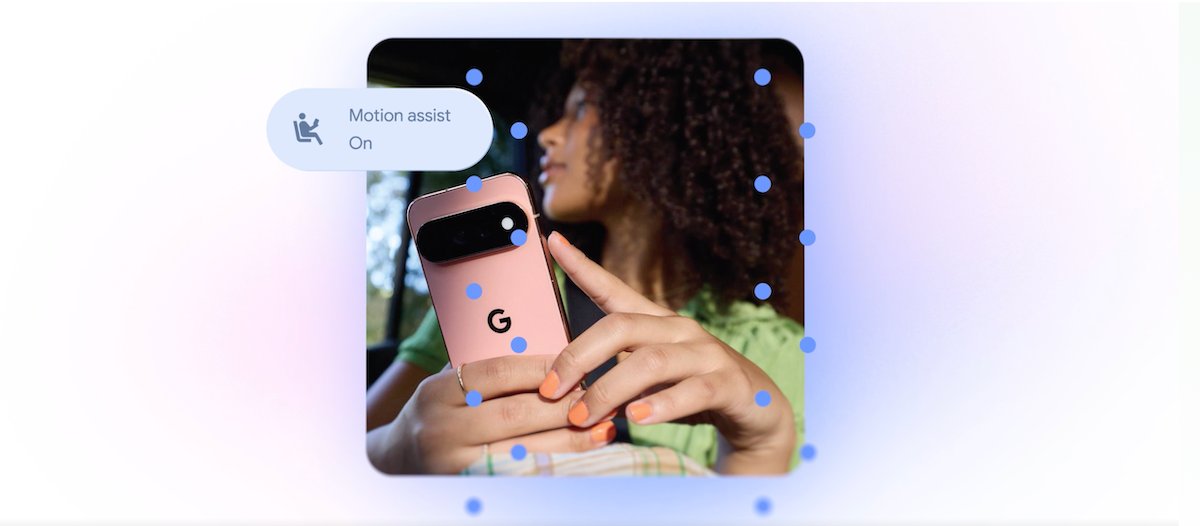
Perhaps the most notable addition is “Motion Assist,” a feature developed specifically for users who suffer from motion sickness while using their devices in a moving vehicle. The tool displays a subtle, animated bubble overlay that shifts in synchronization with the vehicle’s movement. By providing this visual reference, the feature aims to bridge the gap between a user’s stationary screen view and the movement their body perceives, thereby reducing nausea.
The feature is highly customizable, allowing users to adjust the bubble’s shape, color, and transparency. It can also be toggled automatically or accessed via Quick Settings. While Google is technically following in Apple’s footsteps—which introduced its “Vehicle Motion Cues” in 2024—this Android update brings a dedicated solution to the Google ecosystem for users on Android 17.
Empowering Vision-Impaired Users
Google is further expanding its accessibility suite with “Guided Vision.” By leveraging Gemini, the phone’s camera acts as a sophisticated assistant for blind and low-vision users. Whether reading small text on a food label, navigating a dimly lit restaurant menu, or identifying common household items, the tool provides real-time, voice-guided instructions to help the user properly position their phone. It offers prompts to pan, move, or center an object, ensuring a seamless experience for those who need it most. Guided Vision is rolling out to devices running Android 9 and newer in regions where Gemini is supported.
Gemini as a Digital Memory
Artificial intelligence is also taking on the role of a personal assistant through the new “remembered items” feature within the Find Hub. Users can now verbally instruct Gemini to memorize the location of important items—such as a passport in a bedroom drawer—and even attach a photo for visual confirmation. This ensures that users no longer have to rely on their own memory to track the location of essential belongings.
Enhanced Connectivity and Personalization
Google is also strengthening the integration between its productivity and communication apps. A new Google Keep integration in Google Messages allows users to share and collaborate on grocery lists, vacation itineraries, and notes directly inside a chat thread.
Finally, Google is introducing a deeper level of personalization for its messaging platform. Users can now assign unique backgrounds, custom photos, and specific color themes to individual conversations. When a theme is selected, text bubbles will automatically adjust to match the chosen aesthetic. This move mirrors features introduced by Apple last year, further narrowing the gap in customization options between the two platforms.
As these updates begin to reach global users, they underscore Google’s ongoing commitment to using AI not just for complex computation, but for solving practical, everyday challenges that improve the user experience.