








The Evolution of watchOS 27 and Audio Intelligence
Apple recently introduced watchOS 27, an update that marks a significant shift in how users interact with their wearable devices. At the forefront of this release is the introduction of a sophisticated suite known as Audio Intelligence. This feature set leverages on-device machine learning to provide real-time processing of ambient sound and vocal input. The centerpiece of this new capability is Live Rewind, a function designed for the latest hardware, specifically the Apple Watch Series 12 and Ultra 4 models.
Live Rewind serves as a persistent listening tool that maintains a rolling 15-second buffer of audio. When activated, the device instantly generates a localized transcript of the captured speech, allowing users to review instructions, conversations, or meeting notes that occurred moments prior. By utilizing the dedicated neural engines integrated into the latest S-series chips, Apple aims to keep this processing entirely on the device, maintaining a focus on user privacy by ensuring that sensitive audio data never leaves the watch.
The Mechanics of Live Rewind
The activation of Live Rewind requires a specific physical input: a double-click of the Digital Crown. From a technical perspective, this hardware interaction triggers a low-latency process that instantly halts secondary background tasks to prioritize the transcription buffer. Because this feature relies on the enhanced processing power and memory bandwidth of the Series 12 and Ultra 4, it is tightly coupled with the latest internal architecture.
For those who rely on quick, on-the-go documentation, the tool provides a significant advantage. Instead of reaching for a smartphone or initiating a voice memo application, users can retrieve context from a recent conversation within seconds. The transcript appears directly on the display, offering a succinct summary of the last 15 seconds of audio. However, the requirement of the double-click gesture has created an unexpected conflict with existing navigation habits established in previous versions of the operating system.
The Disruption of Established Navigation
For several generations of watchOS, the double-click of the Digital Crown served as a primary navigation shortcut. In watchOS 26, this action allowed users to instantly toggle between their currently active application and the previously used app. It was a streamlined method for multitasking, reducing the time spent navigating menus or returning to the watch face to find a recently closed tool.
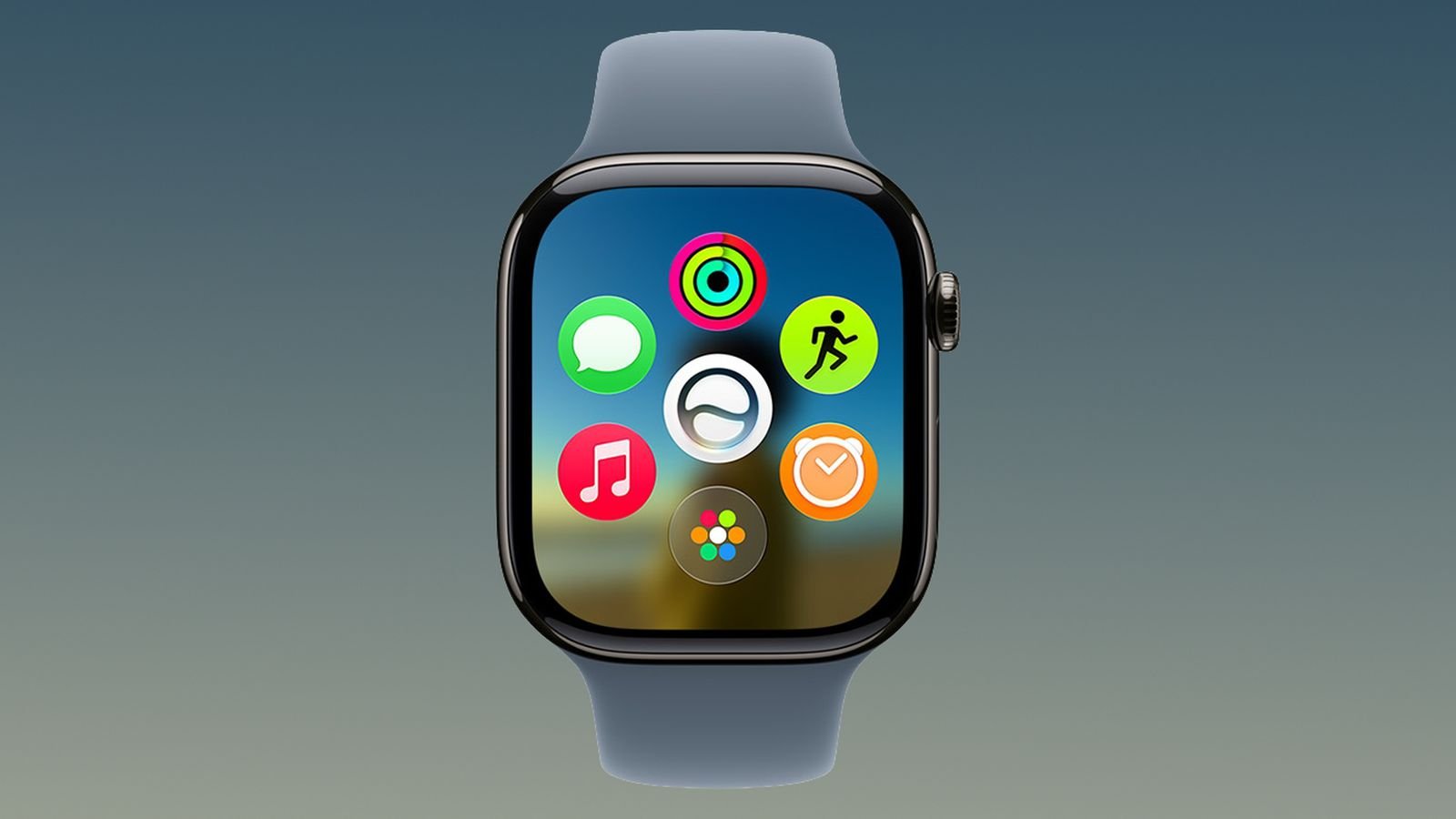
With the advent of watchOS 27, this functionality has been fundamentally altered. The double-click now triggers the new dynamic app grid, effectively mapping the same command to an action previously reserved for a single click. By unifying these interactions, Apple has sacrificed the ability to jump between applications. The change is not limited to the new Series 12 and Ultra 4 devices; it has been enforced across all models compatible with watchOS 27, including older generations that lack the hardware support for Live Rewind entirely.
Implications for Older Hardware
The removal of the app-switching gesture from legacy Apple Watch models has drawn scrutiny from the user community. While the update aims to create a consistent interface across the entire hardware ecosystem, the result for owners of older watches is a net loss in functionality. These users are losing a high-utility navigation shortcut without gaining the compensatory benefit of the new Audio Intelligence feature set.
Technically, there is no hardware limitation preventing Apple from maintaining the legacy app-switching gesture on older devices. The conflict only exists on the newest models where the Digital Crown double-click is reserved for Live Rewind. This design choice appears to be a prioritization of interface uniformity over feature preservation. Consequently, long-time users are finding that their devices have become slightly less efficient, despite receiving the latest software update.
Privacy and User Agency
The integration of Live Rewind raises broader questions regarding user control and interface customization. By hardcoding the double-click trigger to this specific feature, Apple has removed the ability for users to assign the gesture to their preferred utility. This “one-size-fits-all” approach to UI navigation creates a friction point for those who do not require or desire the Audio Intelligence feature set.
For professionals or privacy-conscious users who have no need for persistent audio buffering, the modification of the Digital Crown behavior feels like an unnecessary limitation. In previous software cycles, Apple provided more granular control over button mapping. The current implementation suggests a shift toward a more prescriptive software design, where the manufacturer dictates the utility of physical inputs to prioritize specific product features.
The Path Forward for watchOS
As Apple prepares for the widespread adoption of the Series 12 and Ultra 4, the discourse surrounding the double-click functionality serves as a reminder of the delicate balance between innovation and user experience. While Audio Intelligence represents a genuine leap forward in wearable technology, the sacrifice of existing, well-regarded navigation patterns highlights the challenges of evolving a mature operating system.
For many, the hope remains that a future update, such as watchOS 27.1, will introduce the ability to reconfigure the Digital Crown’s behavior. Providing users with the capacity to choose between the legacy app-switching functionality and the new Live Rewind trigger would restore the necessary agency that many have come to expect from Apple’s software. Until such a change occurs, users will need to adjust their workflows to accommodate the new interface, balancing the gains of advanced audio processing against the loss of established, efficient multitasking.
Disclaimer: This content is auto-generated for informational purposes only.
Source: Read Original News