








At the recent Snapdragon Summit, Microsoft unveiled a refreshed Surface lineup that drew immediate attention to its updated internals and high-performance silicon. However, amidst the excitement surrounding the latest Surface Pro and Laptop models equipped with the Snapdragon X2 Plus, a quiet hardware update has emerged as a significant development. The new 79-dollar Surface Mouse, while seemingly a standard peripheral, introduces advanced haptic capabilities that fundamentally change the way users interact with the Windows 11 interface.
Redefining the Input Experience
For decades, the computer mouse has functioned as a one-way communication tool. Users provide input through clicks or movement, and the computer confirms actions solely through visual changes on the display. While trackpads have long utilized haptics to simulate mechanical button presses, the desktop mouse category has remained stagnant, relying on traditional, rigid microswitches housed in plastic shells.
The redesigned Surface Mouse departs from this legacy by establishing a two-way tactile feedback loop. By integrating sophisticated haptic actuators, the device allows the operating system to communicate status and events directly to the user’s palm. This transition from passive input to active, responsive communication marks a meaningful shift in desktop peripheral design.
Enhanced Workflow and Window Management
The primary utility of the new haptic feedback system lies in its ability to improve spatial awareness during daily computing tasks. One of the most immediate applications is within the Windows 11 window management system. When a user drags a browser window or application toward the edge of the screen, the mouse delivers a distinct tactile bump the moment the operating system triggers the snap feature.
This physical sensation provides a sense of certainty that the software is performing the intended action without the user needing to constantly monitor the screen for visual confirmation. By offloading this verification to the sense of touch, the device allows users to navigate complex interfaces with greater speed and fewer errors.
Precision Alignment for Creative Professionals
Beyond system-level window management, the haptic engine proves particularly beneficial for precision-oriented tasks. When working within Microsoft Office applications or professional software like Adobe Creative Suite, the mouse provides a physical micro-tick whenever an object locks onto an alignment guide, grid, or center axis.
For professionals who spend significant time editing documents, designing layouts, or arranging visual elements, this feature functions as a high-precision guide. It removes the necessity for exhaustive visual scanning of ruler lines or coordinates, as the mouse itself notifies the user exactly when objects are perfectly positioned. This reduction in cognitive load helps streamline complex workflows, effectively shaving seconds off repetitive alignment operations that are standard in professional graphic and document design.
Tactile Verification as a Reliability Metric
In addition to guided interaction, the Surface Mouse addresses concerns regarding input reliability. In software environments that may occasionally suffer from latency or heavy system load, it can be difficult to tell if a click has been successfully processed. The haptic actuator serves as an immediate, localized verification tool.
By feeling the physical confirmation under the palm, the user knows definitively that the command has been acknowledged by the machine. This secondary verification is especially useful during high-load tasks where the visual interface might stutter. Rather than guessing whether a button press registered, the user receives an instantaneous physical response, creating a more robust and reliable link between the user and the software environment.
Hardware Sustainability and Design
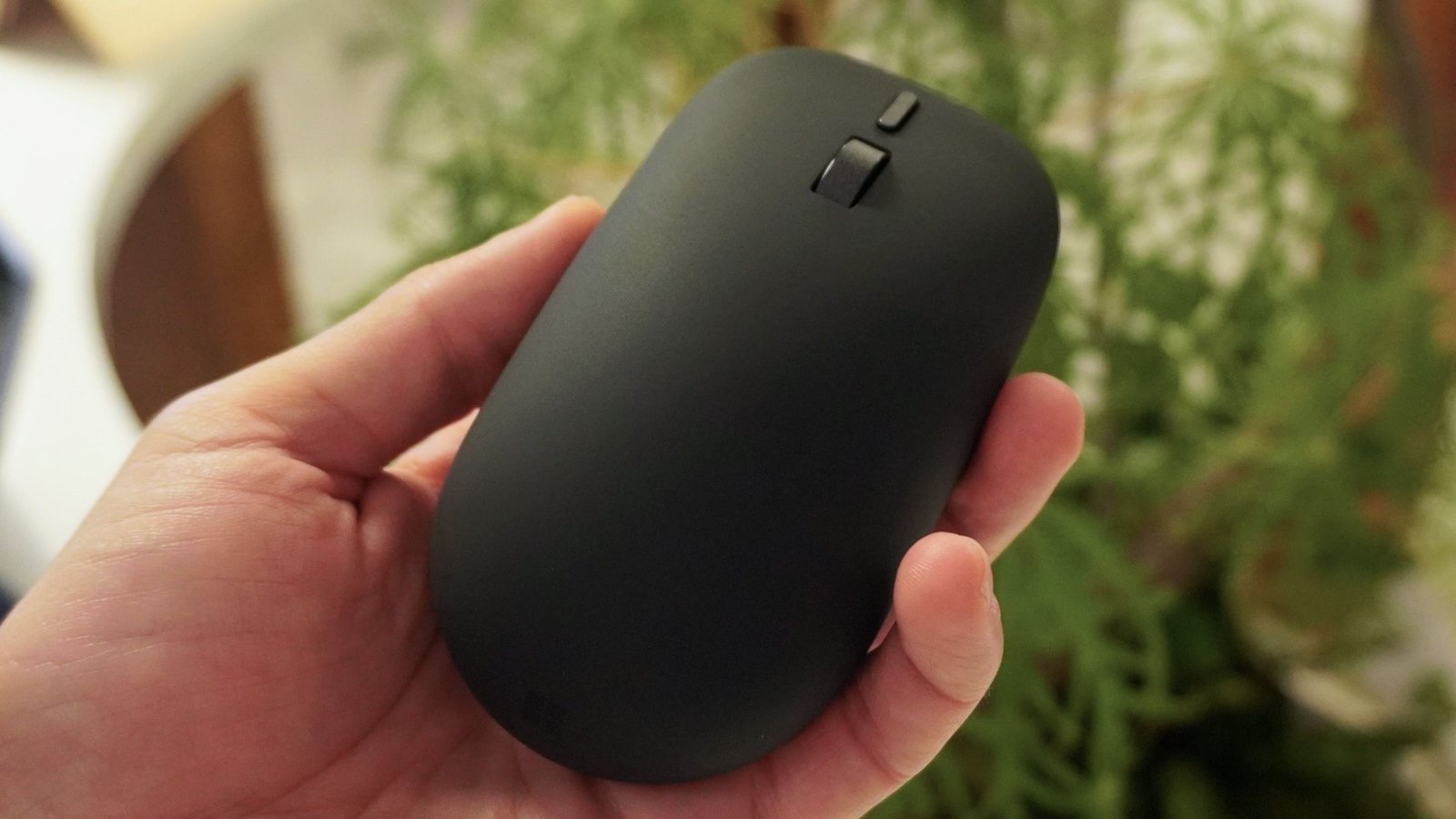
The engineering behind the new Surface Mouse also reflects a broader focus on sustainable manufacturing. The chassis is constructed using 30 percent recycled materials, a move that aligns with current industry trends toward more responsible hardware production. The device maintains a classic, ambidextrous silhouette that ensures it remains accessible to a wide variety of users, regardless of hand dominance.
Equipped with a dedicated action button, the device is designed for seamless integration with the modern Microsoft ecosystem. While the inclusion of a dedicated button for artificial intelligence features like Copilot captures public interest, the true innovation remains the haptic technology. This tactile dialogue represents a significant leap forward in peripheral capability, elevating the mouse from a simple pointer to an active, responsive interface that bridges the gap between hardware and software in a meaningful, practical way.
Disclaimer: This content is auto-generated for informational purposes only.
Source: Read Original News