






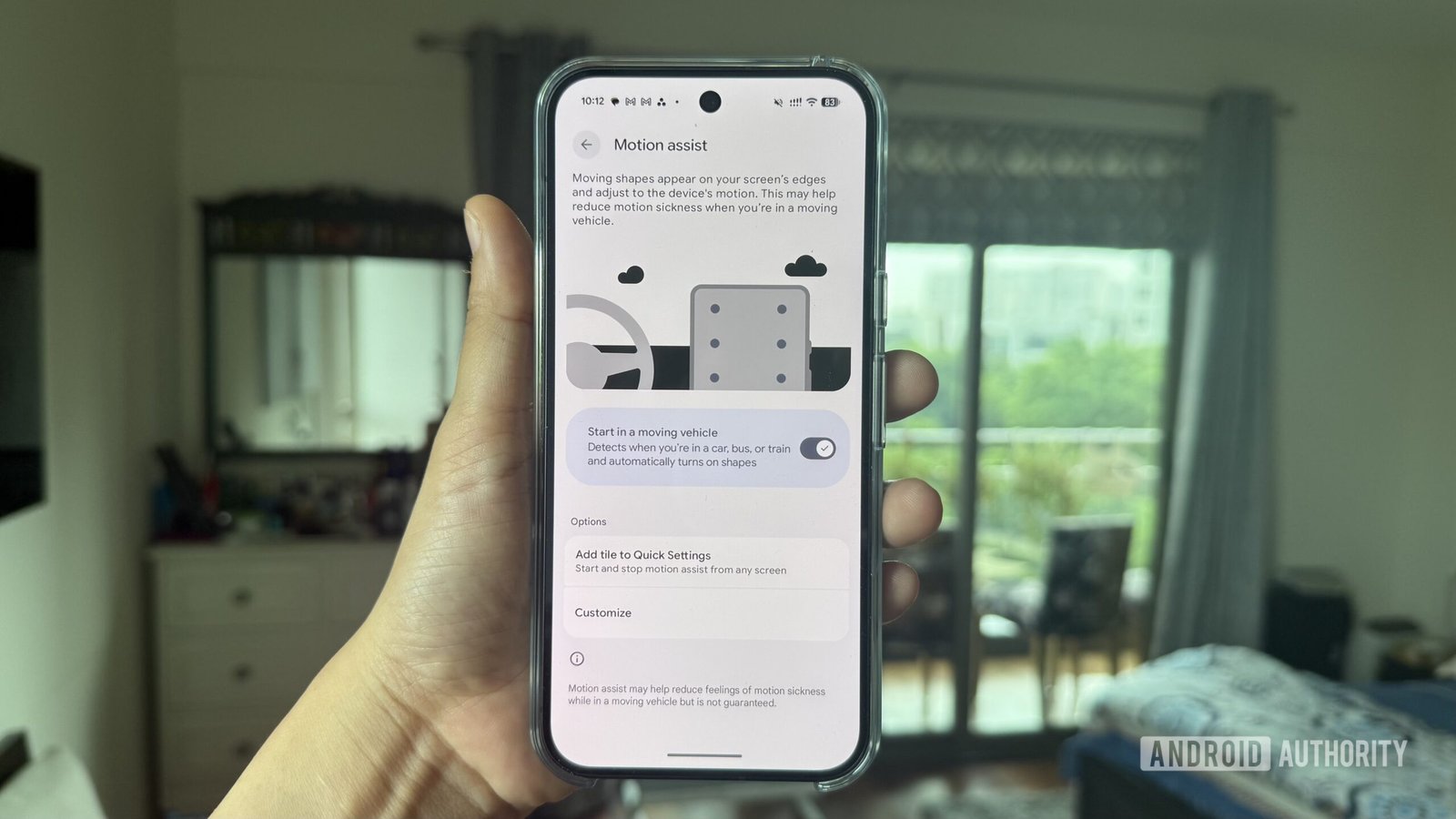
Google Rolls Out ‘Motion Assist’ to Combat Car Sickness on Android 17
For many, scrolling through a smartphone while traveling in a car or train is a recipe for nausea. Google is now tackling this common problem head-on with the official rollout of its new “Motion Assist” feature, making its debut on devices running Android 17.
Initially spotted in testing phases as “Motion Cues,” the feature is designed to reduce motion sickness by providing subtle, synchronized visual indicators that help your brain reconcile the discrepancy between the stationary screen and the movement of the vehicle.
How Motion Assist Works
The concept behind the feature is straightforward: when active, small visual cues appear along the edges of your screen. These indicators move in synchronization with the vehicle’s motion, providing the peripheral visual feedback necessary to soothe the vestibular system and mitigate travel-related nausea.
Google has significantly refined the technology since its inception. While the earliest iterations relied on a simple “Display over other apps” permission—which often meant the indicators would disappear over critical system elements like the status bar or notification shade—the version arriving with Android 17 utilizes deep, OS-level API integrations. This allows the motion dots to remain visible across all apps and system UI layers, including the lock screen and Quick Settings, ensuring a seamless experience.
Customization and Accessibility
Google isn’t taking a “one size fits all” approach to the feature. Users can personalize their Motion Assist experience by adjusting:
- Visual Style: Modify the color, shape, and opacity of the motion indicators.
- Randomization: An optional setting that allows the system to vary these visual properties, potentially reducing distraction.
- Activation Methods: Users can configure the feature to trigger automatically when the phone senses it is in a moving vehicle, or they can take manual control via a dedicated Quick Settings tile.
Availability and Rollout
The feature is currently making its way to Pixel users, though the rollout appears to be in its early, staged phases. Reports indicate that while some devices (such as the Pixel 11 Pro XL) have already received the update, others running the same OS version have yet to see the option appear.
If you are running Android 17 and want to check for the feature, navigate to Settings > Your profile > All services, then scroll down to the Personal & device safety section. If the menu is not yet visible, you may need to wait for a broader server-side update from Google.
While Google is a relatively late entrant to this specific accessibility niche—competitors like OPPO and vivo have offered similar “Motion Cues” for some time—the integration into the core Android experience promises a more cohesive and widely available solution for users everywhere.