








Why Notability is the Digital Whiteboard My Creative Workflow Was Missing
For those of us who live across the Android and iOS divide, the greatest frustration is often app parity. While most services have bridged the gap, a few gold-standard utilities have remained stubbornly siloed. That changed recently when Notability finally arrived on Android, bringing its acclaimed free-form canvas to a new audience. After years of testing note-taking solutions, I’ve found that it is the perfect tool for untangling the chaotic, non-linear way my brain actually works.
The Brain Rarely Works in a Straight Line
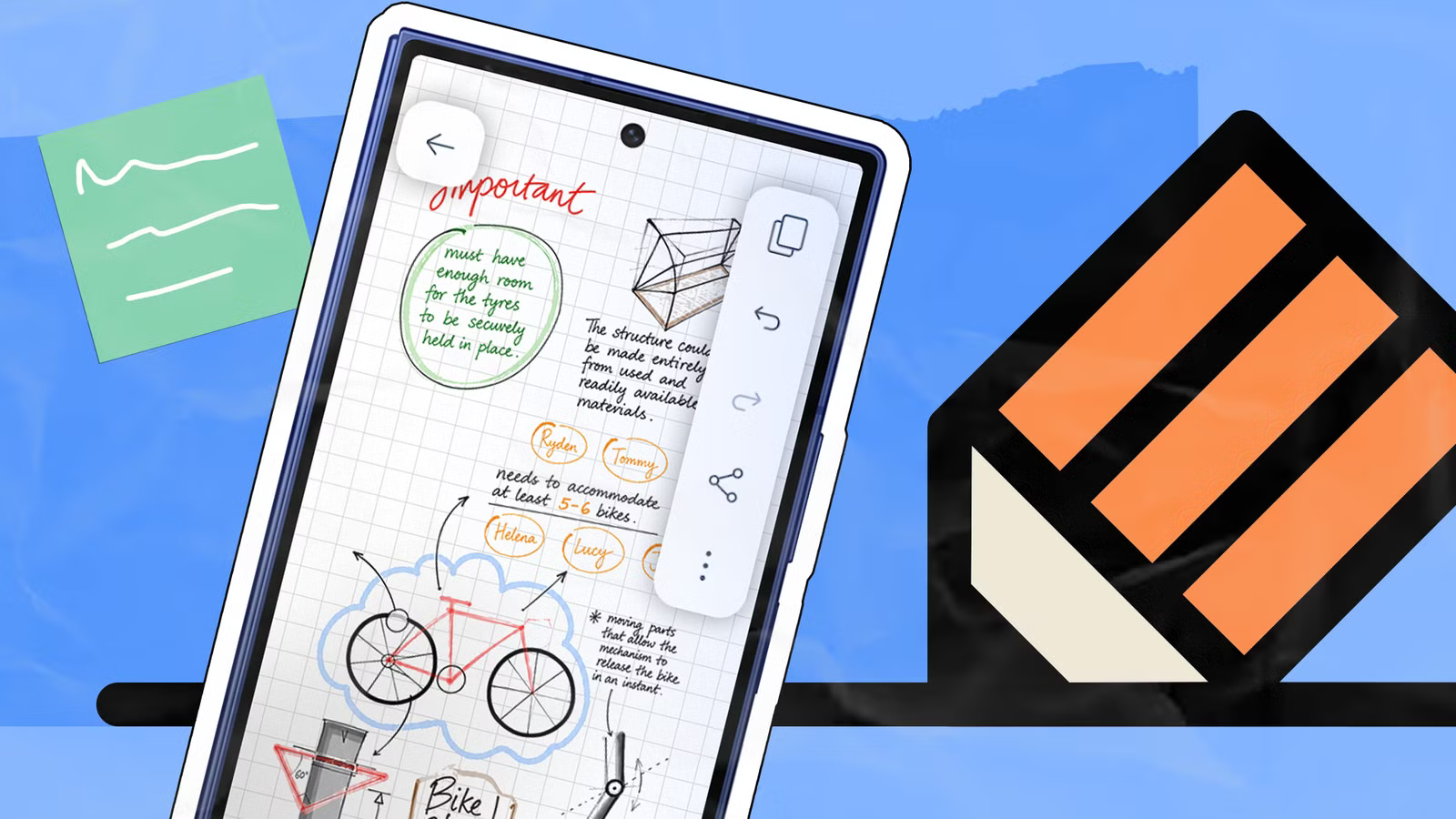
Productivity apps are often marketed as rigid filing cabinets, but my creative process looks nothing like a structured database. When I’m brainstorming—particularly when I’m working with animation teams on character backstories—I need a digital whiteboard. I need the freedom to scribble a name in a corner, draw a messy connection to a secondary plot point, and erase or re-order things on the fly.
I’ve experimented with tools like Obsidian, but the steep learning curve often stifled my momentum before I even started. In contrast, Notability offers a clean, Zen-like interface that strips away visual noise. Since its official launch on the Google Play Store in August 2026—following years of Apple-exclusive status—it has become the core of my creative process, allowing me to start a project anywhere on a blank page without constraints.
A Powerhouse for Annotation and Ideation
Notability excels by balancing simplicity with deep functionality. The toolbar is intuitive: you can drag and drop input, insert reference photos to create mood boards, and share these visuals directly with design teams.
The app’s audio recording capabilities are equally impressive. It strings memos together into a continuous stream, which is perfect for spontaneous “information dumps.” If your dictation is a bit scattered, you don’t have to start over; you can play back specific sections at varying speeds (1x, 1.5x, or 2x).
Perhaps the most surprising addition is the AI-powered “Learn” tool. By tapping the sparkle icon, I can upload complex documents—like a craft book on character arcs—and have the AI generate flashcards, quizzes, or summaries based on specific page ranges. It effectively turns my notes into a study guide, which has been an invaluable asset for professional development.
Is the Free Tier Enough?
Notability offers a compelling free tier that limits users to five notes per month. While that might sound restrictive, it’s manageable if you are disciplined with your exports. By using the native .ntb format, you can keep notes editable even after moving them off the platform, or you can archive PDFs and images to clear your slots.
For those who need more, the company offers a tiered pricing structure:
- Lite ($12/mo): Unlimited notes and third-party backups.
- Plus ($16/mo): Adds 100 YouTube link-to-note conversions, 400 AI-powered learning tasks, and expanded version history.
- Pro ($80/mo): The full suite, including unlimited AI transcription, real-time summaries, and advanced chatbot interaction with your notes.
- Classic ($40 one-time): A legacy-style option for core features like handwriting recognition and cross-device sync.
The Verdict on Your Digital Brain
My journey through the crowded world of note-taking apps has taught me one hard truth: no single tool is a “silver bullet.” I still use Google Keep for quick shopping lists and Obsidian for long-term knowledge management.
However, Notability has earned its place as my dedicated “think space.” By combining specialized tools rather than trying to force one app to do everything, I’ve finally found a workflow that supports my creative chaos rather than trying to organize it into submission. If you’ve been looking for a way to map out your ideas visually, the long-awaited Android arrival of this app is well worth your time.