







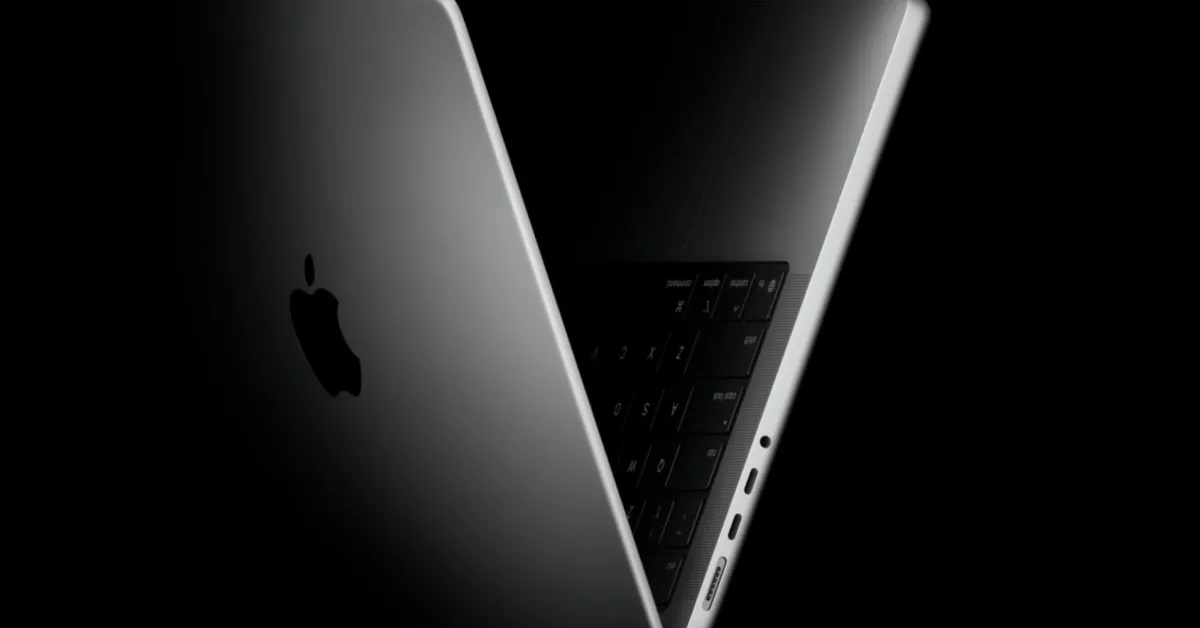
The computing industry is on the cusp of a significant paradigm shift as Apple prepares to introduce its first MacBook Pro model featuring a native touchscreen interface. After years of maintaining a strict separation between its macOS desktop ecosystem and the touch-centric interface of iPadOS, evidence within the latest software development cycle suggests a convergence is imminent. The upcoming release of macOS 27.2 signals a structural shift, embedding sophisticated gesture recognition directly into the operating system architecture.
The Architecture of macOS Gesture Integration
Recent developer seeds of macOS 27.2 provide the clearest evidence yet that Apple is building an expansive infrastructure to support direct display interaction. New system frameworks have surfaced, specifically tailored for handling touch inputs within core applications. References such as PXGTouchDwellGestureRecognizer for the Photos application and ICTouchPressGestureRecognizer for the Notes app suggest that the operating system is being re-engineered to distinguish between mouse clicks and human finger input.
Beyond mere tap-and-scroll functionality, these gesture tools indicate a depth of interaction that mirrors the sophisticated touch experience found on tablet devices. Safari now includes a touch sentinel recognizer designed to manage accidental input, while Quick Look features a specific dragTouch capability. These additions imply a refined approach to navigation, allowing users to move objects, zoom into files, and scroll through documents using natural finger motions that would otherwise require cursor-driven input.
Adaptive UI and Dynamic Control Systems
Integrating touch into a desktop environment presents distinct challenges regarding precision and ergonomics. To address this, macOS 27.2 incorporates adaptive design elements that modify the user interface on the fly. When the system detects touch-based input, it is configured to dynamically adjust its display density. This involves enlarging buttons, menu bars, and other small navigation elements to ensure they are easily clickable by human touch, preventing the frustration of misaligned selections that often plague touchscreen laptops.
This dynamic adjustment mechanism extends to the system Dock as well. New animation protocols, such as the long-press interaction, are designed to make multitasking via touch as intuitive as it is on a handheld device. By prioritizing these adaptive controls, Apple aims to bridge the gap between the high-density information display of macOS and the tactile, tactile-heavy requirements of a touchscreen display.
Hardware Evolution: OLED and Weight Reduction
The shift toward touch sensitivity is expected to be accompanied by a comprehensive overhaul of the MacBook Pro hardware. Industry reports suggest that this new machine will feature an OLED panel, a transition that provides both technical and aesthetic advantages. OLED technology allows for self-emissive pixels, which translates to perfect black levels and higher contrast ratios. This is critical for a touchscreen device, as the glass layer required for digitizing touch input can sometimes degrade the visual performance of standard LCD panels.
Furthermore, the new internal architecture is expected to be significantly lighter than previous iterations. By re-engineering the chassis and utilizing more efficient cooling solutions, Apple intends to make the device more manageable when held in positions common for touch interaction, such as lap-based usage or collaborative tabletop sessions. The combination of a lighter frame and a more responsive touch interface suggests a design philosophy that moves closer to the portability of the iPad while retaining the robust processing capabilities of the Pro-level laptop series.
Broader Implications for Creative Workflow
The move to a touchscreen MacBook Pro carries heavy implications for professional workflows, particularly in creative industries. Photographers, graphic designers, and illustrators have long relied on external tablets or third-party digitizers to manipulate images and vector files within macOS. By native-enabling touch, Apple is effectively removing the need for auxiliary hardware, allowing creators to manipulate software directly on the screen where the work is rendered.
Features like the pull-to-refresh mechanism—recently introduced in the broader macOS 27 cycle—serve as the foundation for this transition. When paired with the existing Sidecar technology, which allows an iPad to act as a secondary display, the new MacBook Pro will create a cohesive ecosystem where touch input is prioritized across the entire workspace. This transition promises to streamline how users manage timelines in video editing suites, organize asset libraries, and perform freeform annotations in document management tools.
Timeline and Market Expectations
While initial projections pointed toward an announcement as early as this month, recent supply chain analysis suggests a potential narrow delay into November. Apple’s release of the third beta for macOS 27.2 indicates that the software is nearing its final build, which is a key requirement for hardware compatibility. As the company continues to bake these touch-centric protocols into the OS, the announcement will likely be focused on how this integration enhances productivity rather than just the novelty of a glass interface.
This upcoming launch represents more than just a hardware update; it is a fundamental reevaluation of how the desktop computer is operated. By systematically replacing static cursor-based interfaces with dynamic touch recognizers, Apple is signaling a future where the high-performance computing power of the MacBook Pro is delivered through a more intuitive, tactile user experience. Whether marketed as a MacBook Pro or a more distinct variant, the introduction of touch marks the end of a long-standing wall between two of the company’s most popular computing platforms.
Disclaimer: This content is auto-generated for informational purposes only.
Source: Read Original News